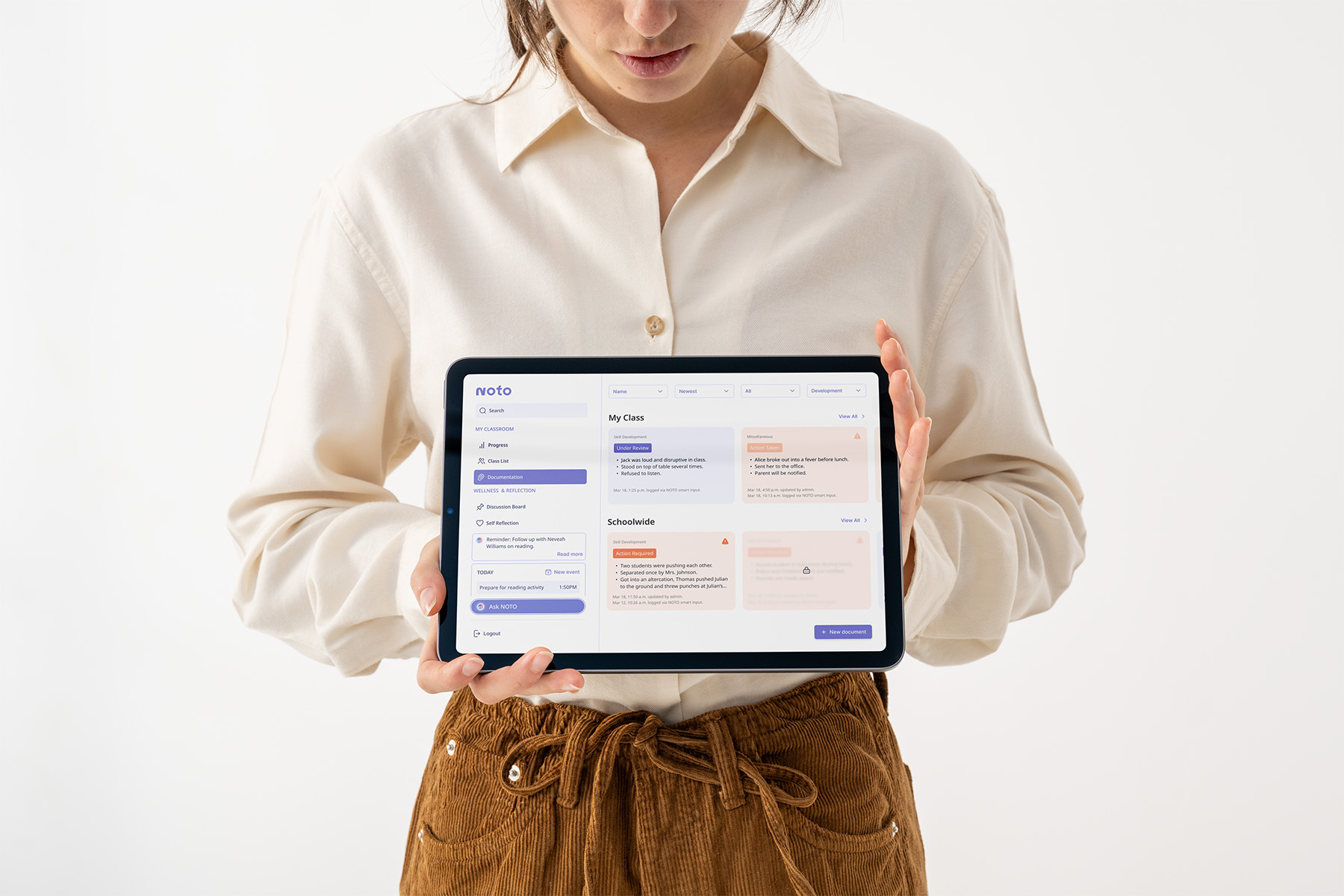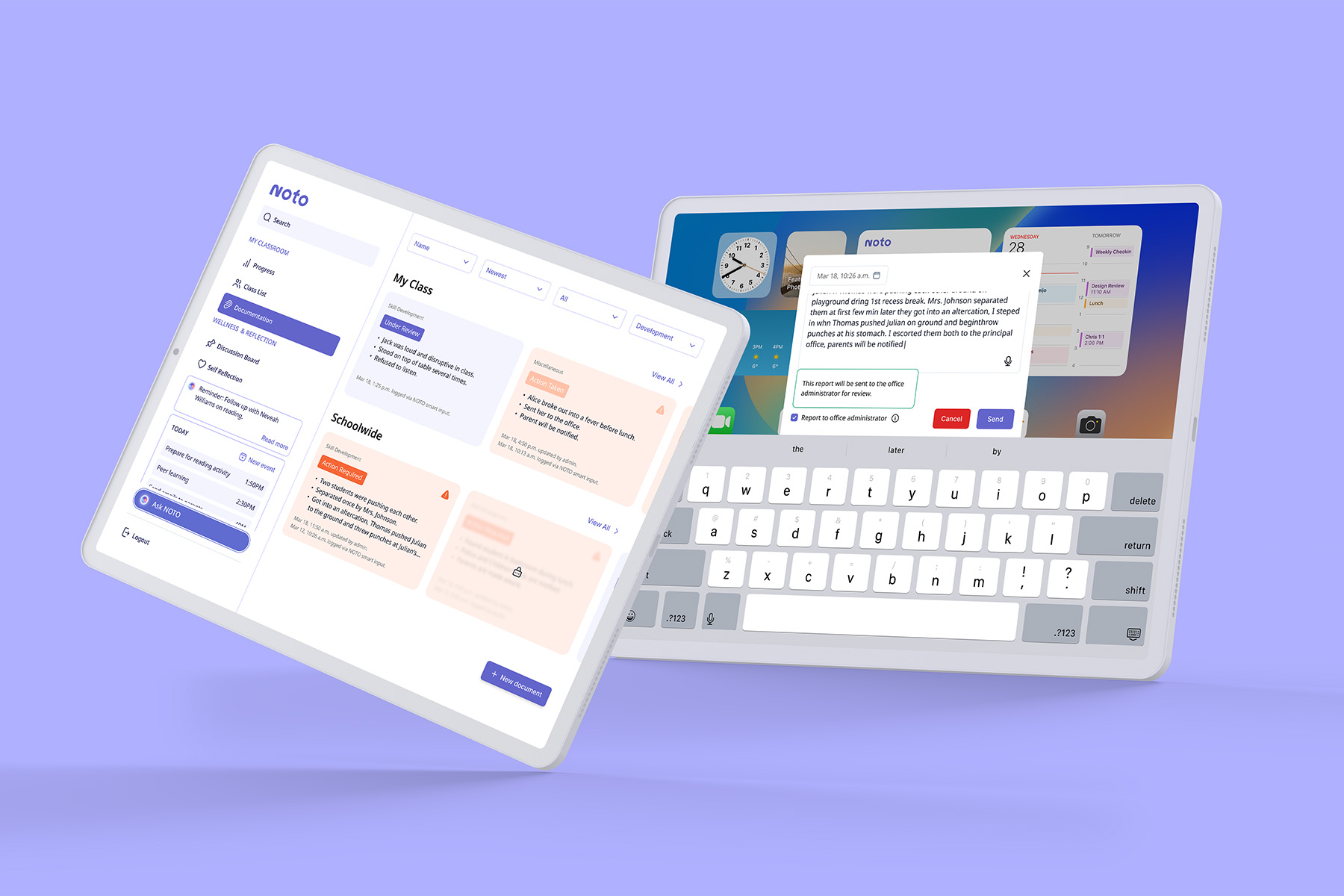
Developing a smart documentation tool for NOTO—a comprehensive support system for early childhood educators
Overview
Fragmented support systems put responsibility on already-overworked teachers to navigate increasing neurodiversity in their classrooms on their own. With insights from educators, I led the design and prototype of an AI-assisted documentation feature that accelerates notetaking, reports, and communications, a core functionality of my team's proposed support platform NOTO.
NOTO was developed for Red Thread Innovations' Purposeful Innovation mentorship and came in 2nd place!
Team
Sketchy Solutions includes Marriane Angga, Trang Do (me!), Jade Guerin, Allen Lin, and Hailey Pham.
Role
UX/UI Researcher and Designer
Duration
Jan – Apr 2025 (14 weeks)
Quick navigation
The problem
Digital classroom documentation tools have a high learning curve and low accessibility, which slows down administrative tasks and fragments communication.
The solution
An AI-assisted tool distilling quick voice recordings and rough notes into structured documents, allowing educators to act fast, reduce redundancy, and reclaim lost time.
Research
Looking at inclusive education and educators' well-being, we saw a disconnect between inclusion efforts and support for educators.
We examined peer-reviewed journals, educational policy frameworks, accessibility guidelines, EdTech trends, and materials related to neurodiversity and inclusive pedagogy. Existing platforms are inadequate in supporting neurodiverse classrooms, leaving teachers feeling unprepared.
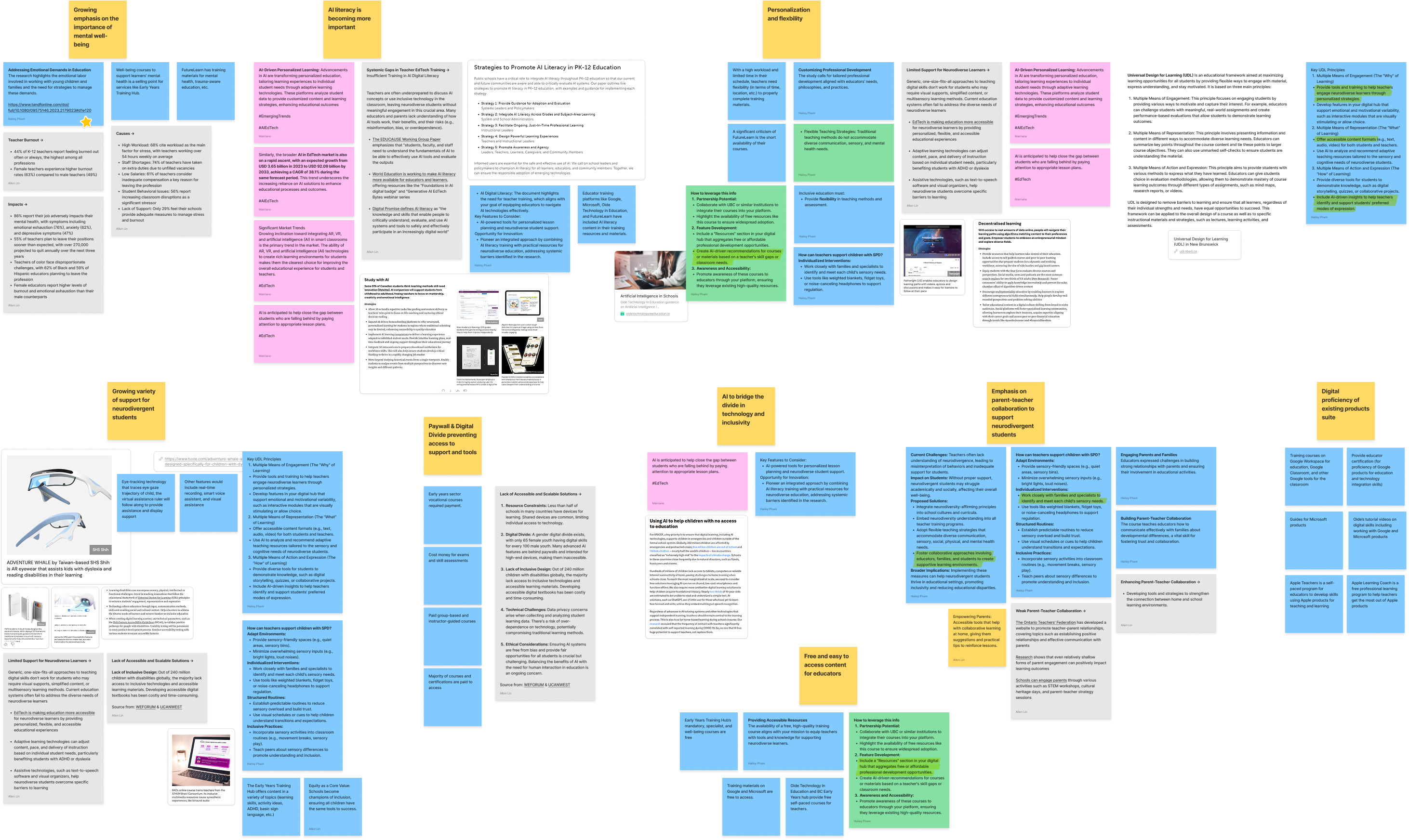
The rates of burnout and attrition reveal a system built on reactive workarounds, leaving teachers stretched thin and students underserved.
44%
of K-12 teachers report frequent burnout.
(Devlin Peck, 2025)
76%
of teachers report emotional exhaustion.
(Elka Jacobs-Pinson, 2025)
55%
plan to leave the profession early.
(NCES, 2022)
68%
cite workload as the main factor for stress.
(Heubeck, 2022)
Online stories and real-life conversations revealed that educators find existing tools rigid, theoretical, or built for administrators.
Inconsistent Documentation
Documentation is time-consuming, inconsistent, and often inaccessible across platforms, leading to duplicated work and missed context. In our survey, 65% of teachers said their current documentation system failed them and were hard to use or learn.
Impractical Traditional Training
Traditional professional development often feels irrelevant or inaccessible during the workday. In our survey, over 60% of educators said their professional development felt disconnected from their classroom reality and was often completed “just to tick a box.”
Fragmented Management Systems
Teachers struggle to keep track of how each student is doing in fast-paced, ever-changing classrooms. Existing systems are fragmented, slow to update, or require too many steps to be useful in the moment. They need visual tools to quickly spot patterns and where support is most needed without digging through spreadsheets and notes.
Lacking Immediate Support
In moments of stress or crisis, teachers often lack immediate support and practical strategies. They want a tool that could “think with them” during real classroom scenarios.
Complex interfaces lead many educators to default to pen and paper to circumvent the long setup time and high learning curve.
Paper notes and inefficient digital folders prevent consistent follow-ups and meaningful intervention.
Google Classroom
- Limited behaviour tracking
- Lack real-time support
- Limited integration with non-Google products and systems
ClassDojo
- Not designed for quick notetaking
- Third-party privacy concerns
- Limited functions for non-paying users
- Lack support for technical issues
Schoology
- High learning curve
- Old-fashioned, nonintuitive interface
- Irrelevant and distracting features
- Prone to bugs and crashes
Define
For educators to effectively support students and navigate classroom challenges, any new tools we propose should reduce their workload and cognitive load.
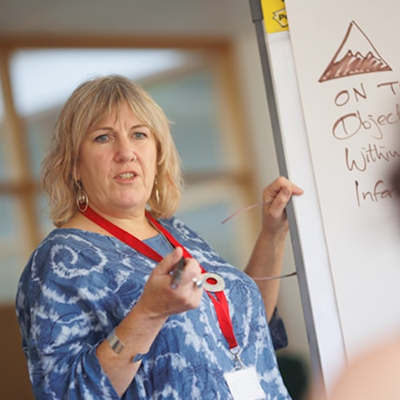
What they're looking for:
- Tools with low learning curve, high ease of use, and reduced workload
- Seamless integration into the classroom and daily routine
- Intuitive documentation of students' progess with actionable insights
- Accessible and tailored mental health support
Their pain points were transformed into core concepts: real-time, hands-free support, reinforced by practical learning and wellness tools.
While our insights and findings informed a comprehensive system, I focused on the development of the smart documentation feature.
Intuitive Documentation
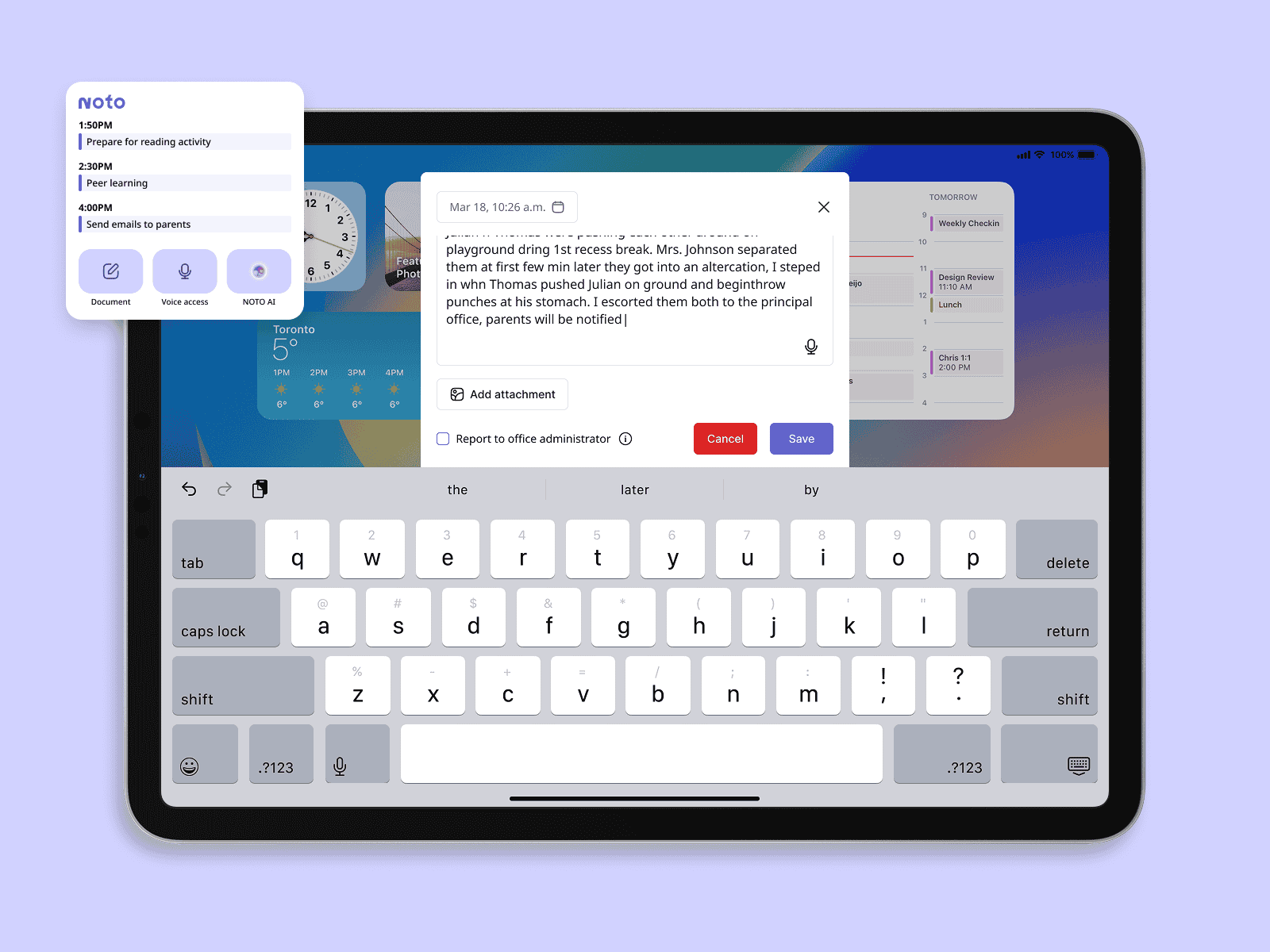
Educators voice-record or jot down notes on-the-go. These raw inputs are distilled into structured outputs for report cards, logs, or communication with caregivers.
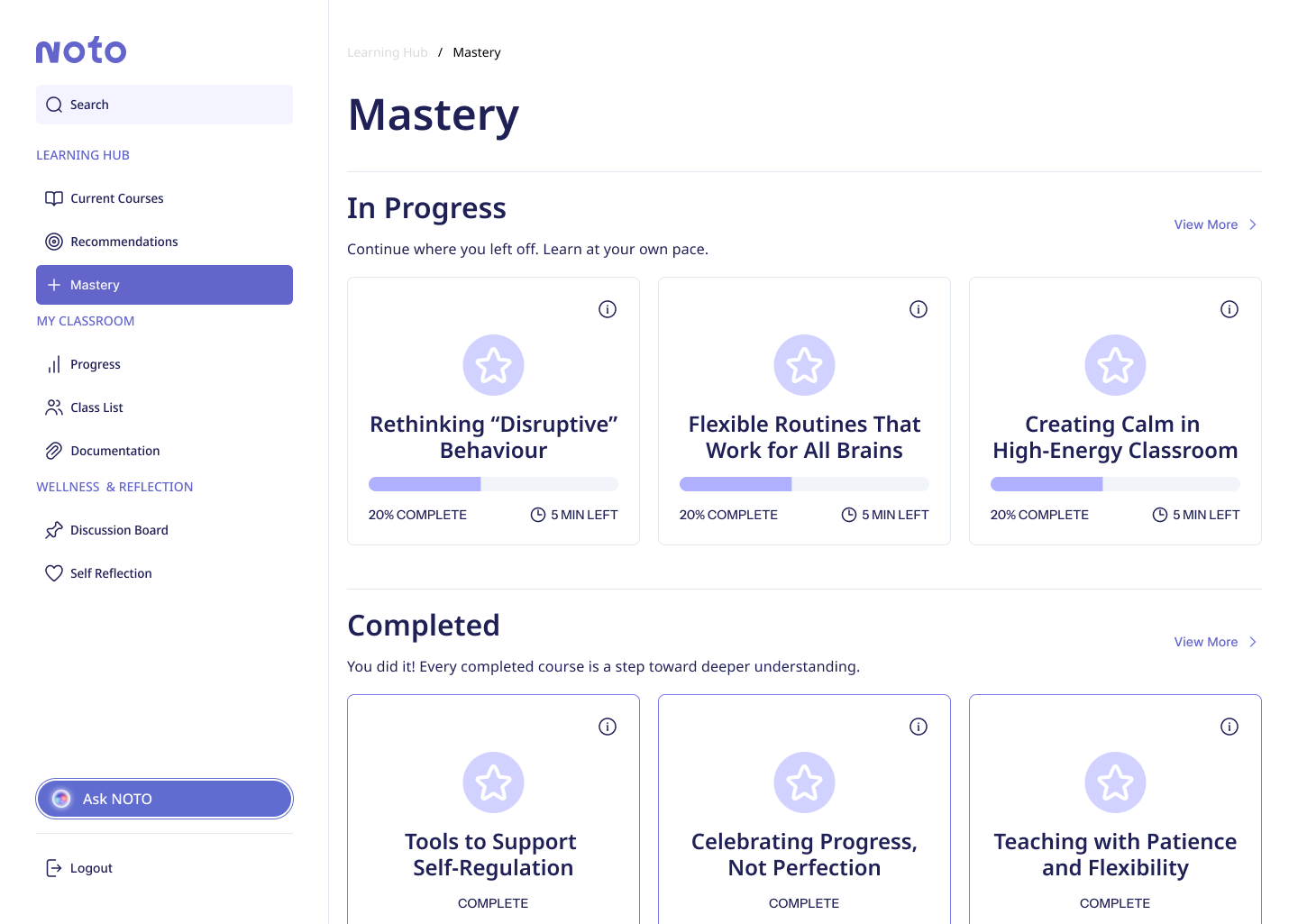
Proactive Professional Development
A visual dashboard of bite-sized, relevant, and certification-aligned modules that educators can complete during school hours.
Centralized Class Management
Real-time classroom tool with data visualization that pulls from student profiles and behaviour logs, offering an overview at a glance.
AI Assistant
NOTO AI suggests classroom strategies, helps with documentation, or flags helpful professional development modules in a hands-free format.
Design
Quick and intuitive behavioural documentation
User story
As a teacher, I want to quickly document the student's behaviour as the incident occurs and be able to review it, so I can intervene if needed and handle the paperwork later.
Preconditions
The user has installed NOTO on a mobile device and is logged in.
Requirements
The feature needs to be easy to learn and use, and accommodate in-crisis use.

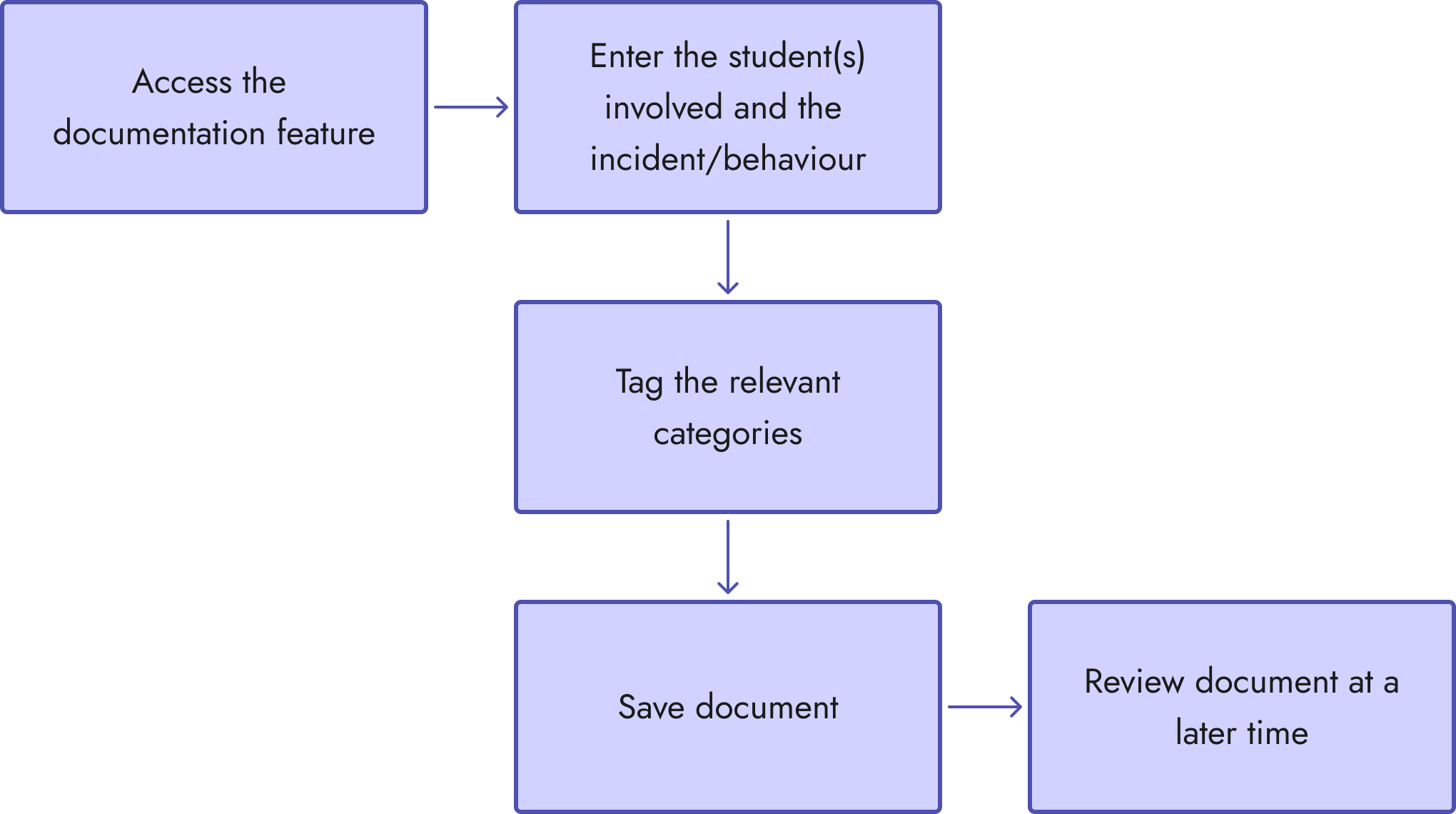
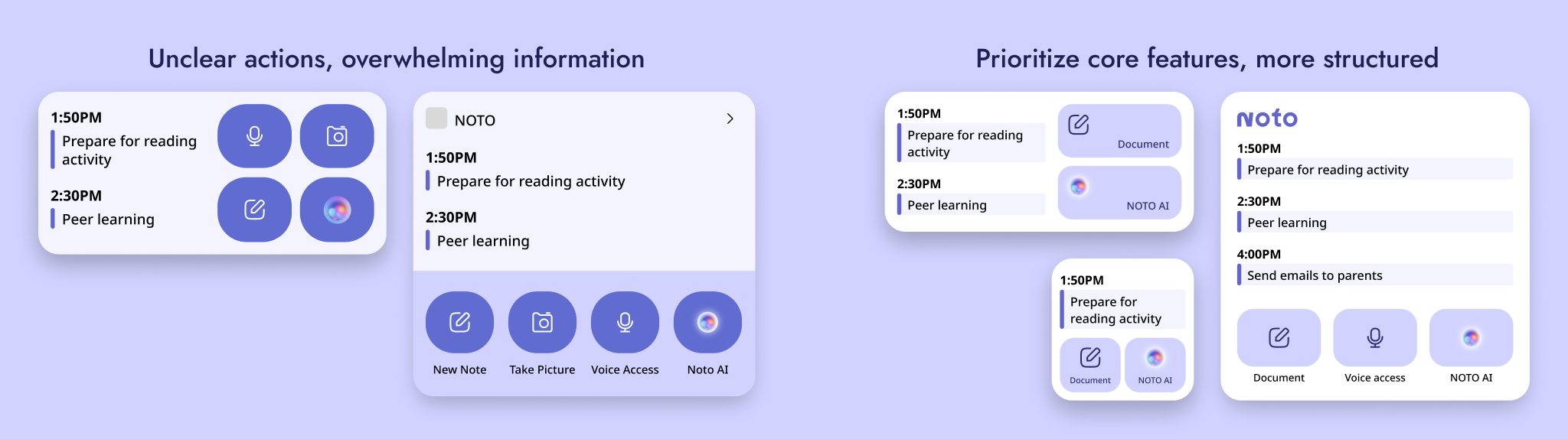
Our first prototype tried to cram too many features without a clear hierarchy and missed the context of real classrooms.
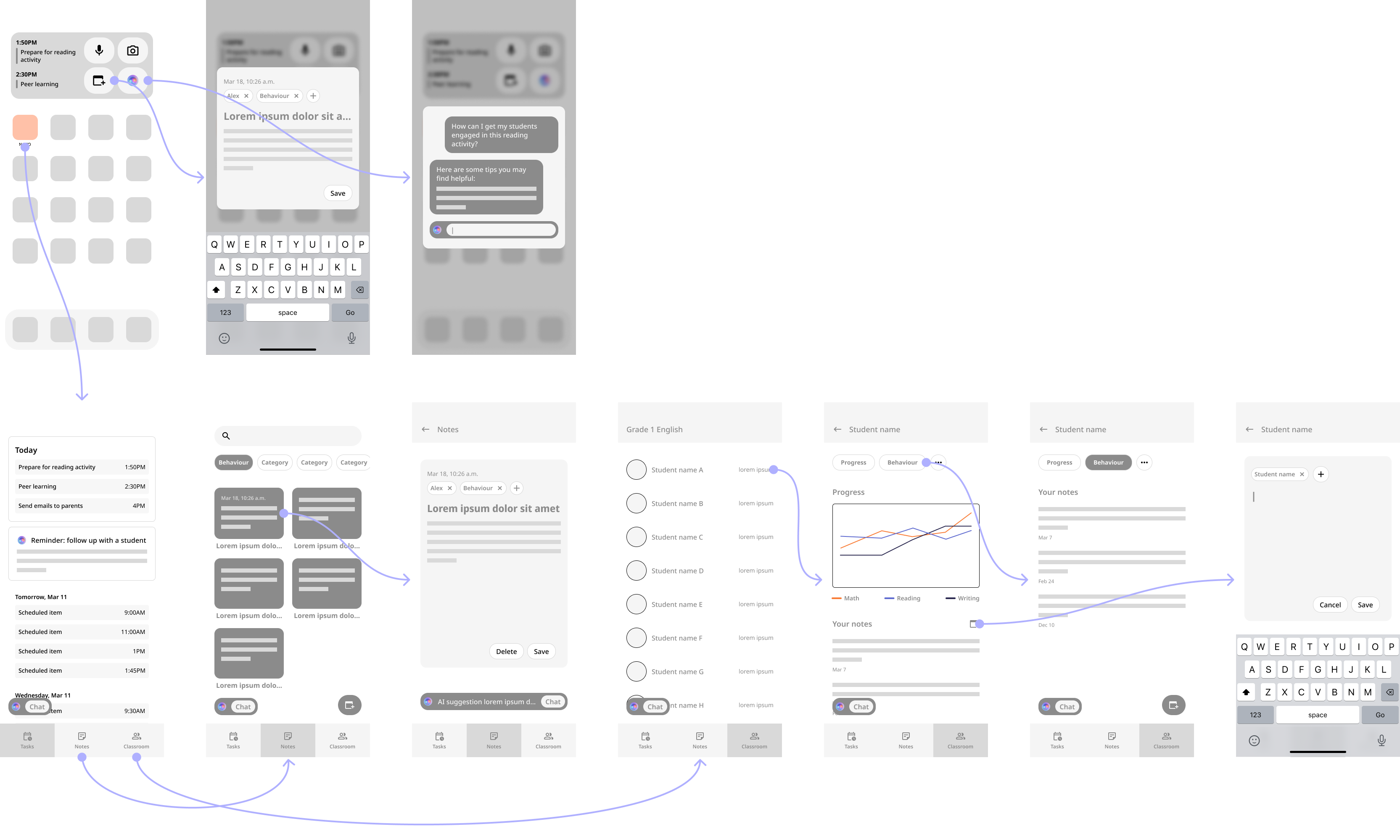
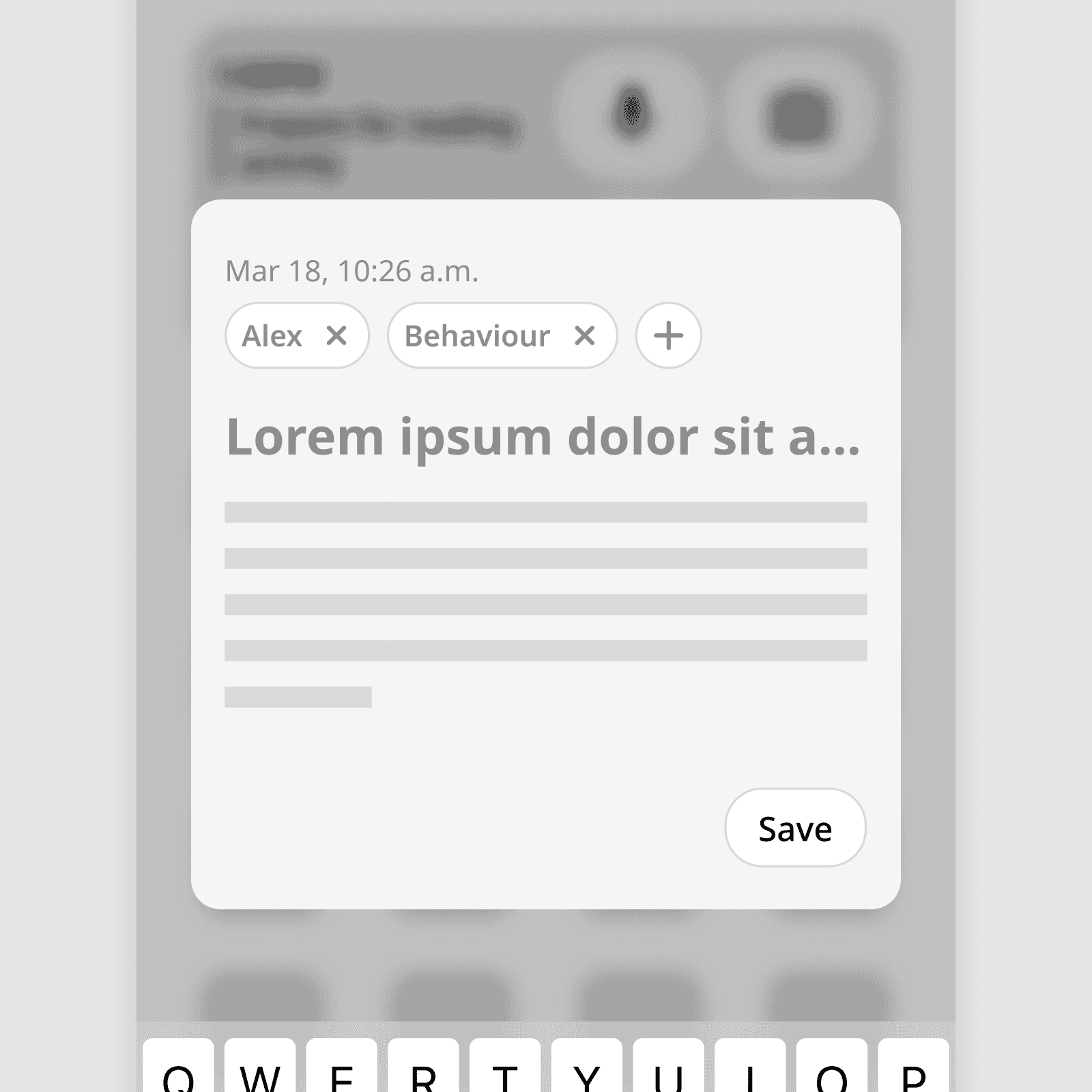
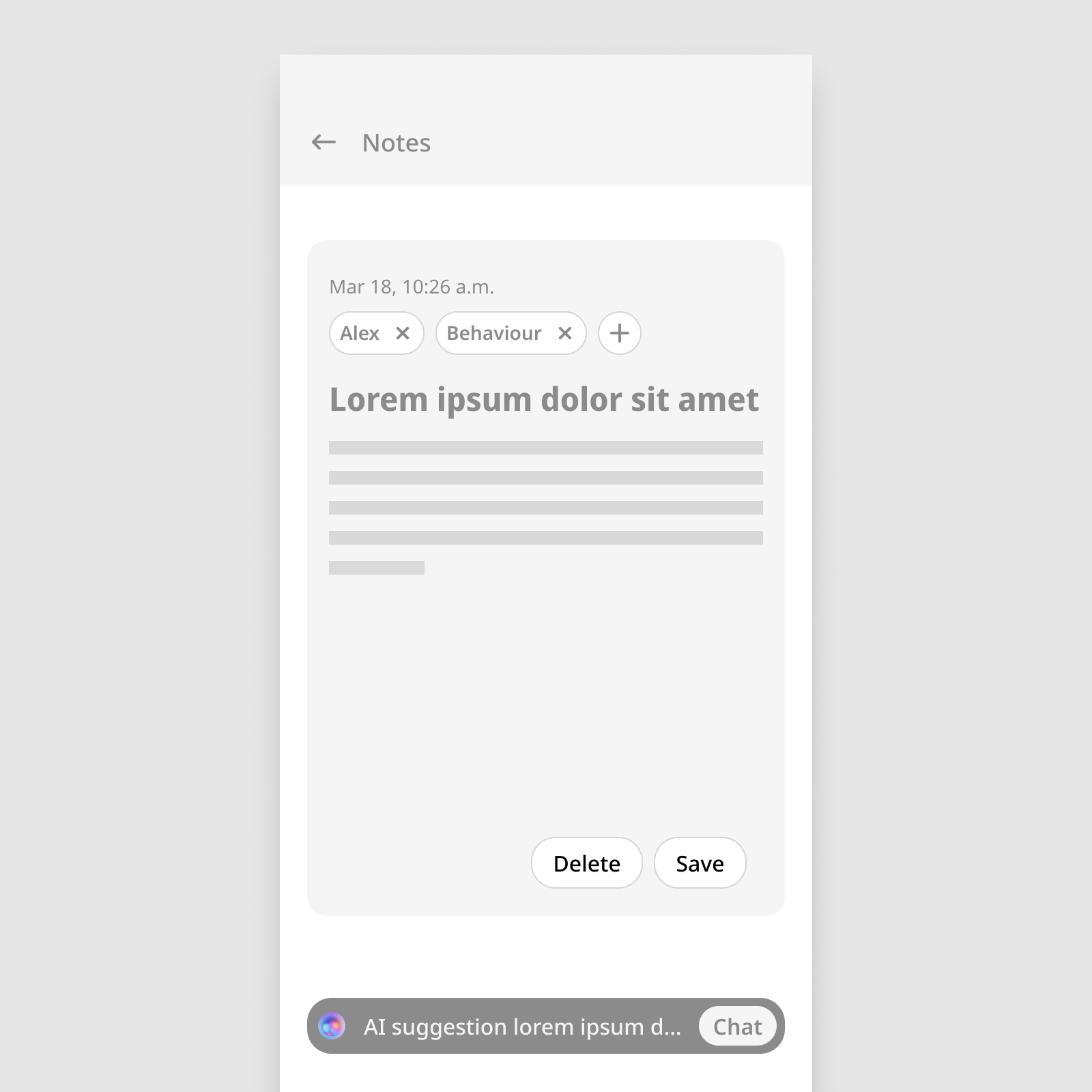
We rebuilt the smart documentation as a brain-dump tool with tablet-first compatibility to suit urgent use and avoid phone usage.
Tablets are more appropriate in a classroom environment, and many teachers already use them in class. We incorporated AI into this feature to distill messy inputs into necessary fields, allowing teachers to forego structure when they need to act fast.
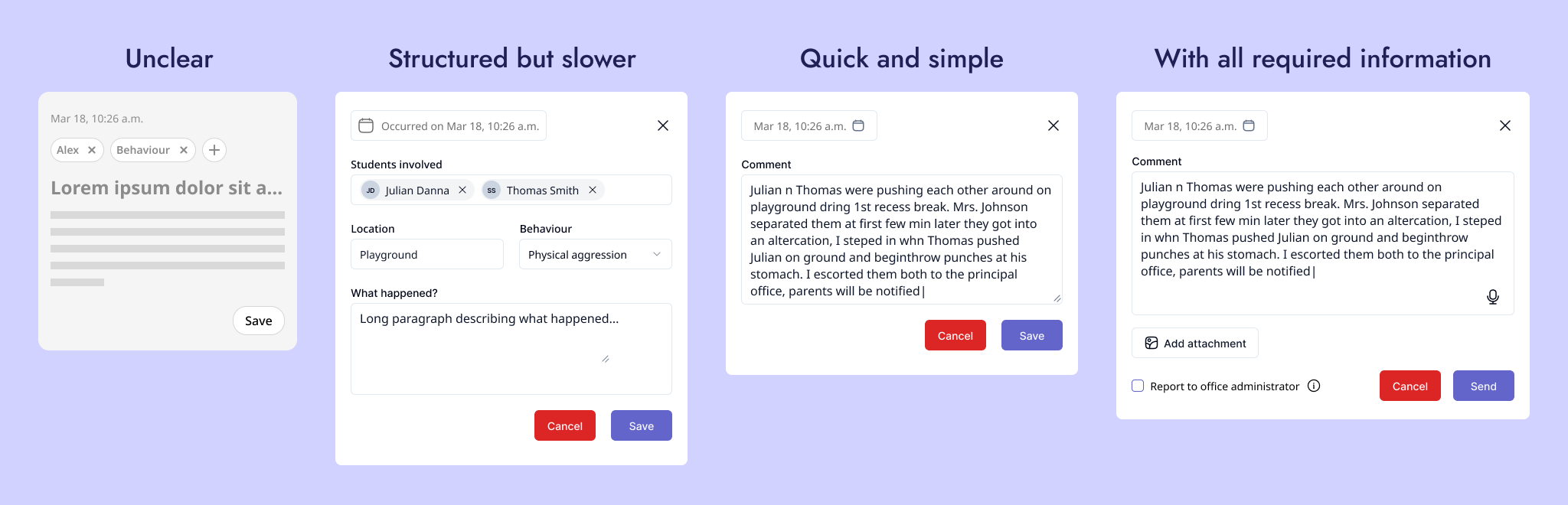
Unclear actions
Structured but slower
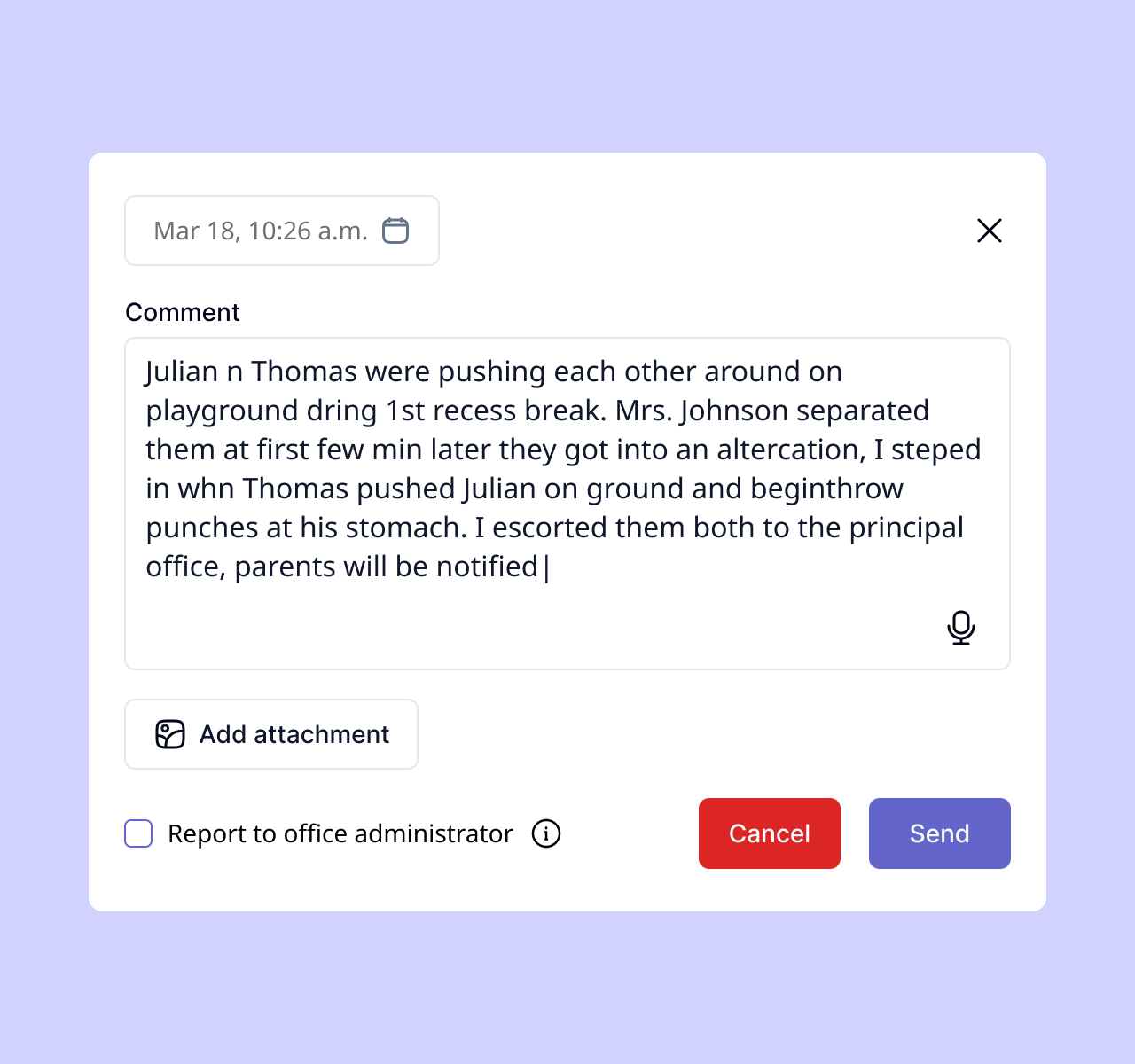
Quick and simple
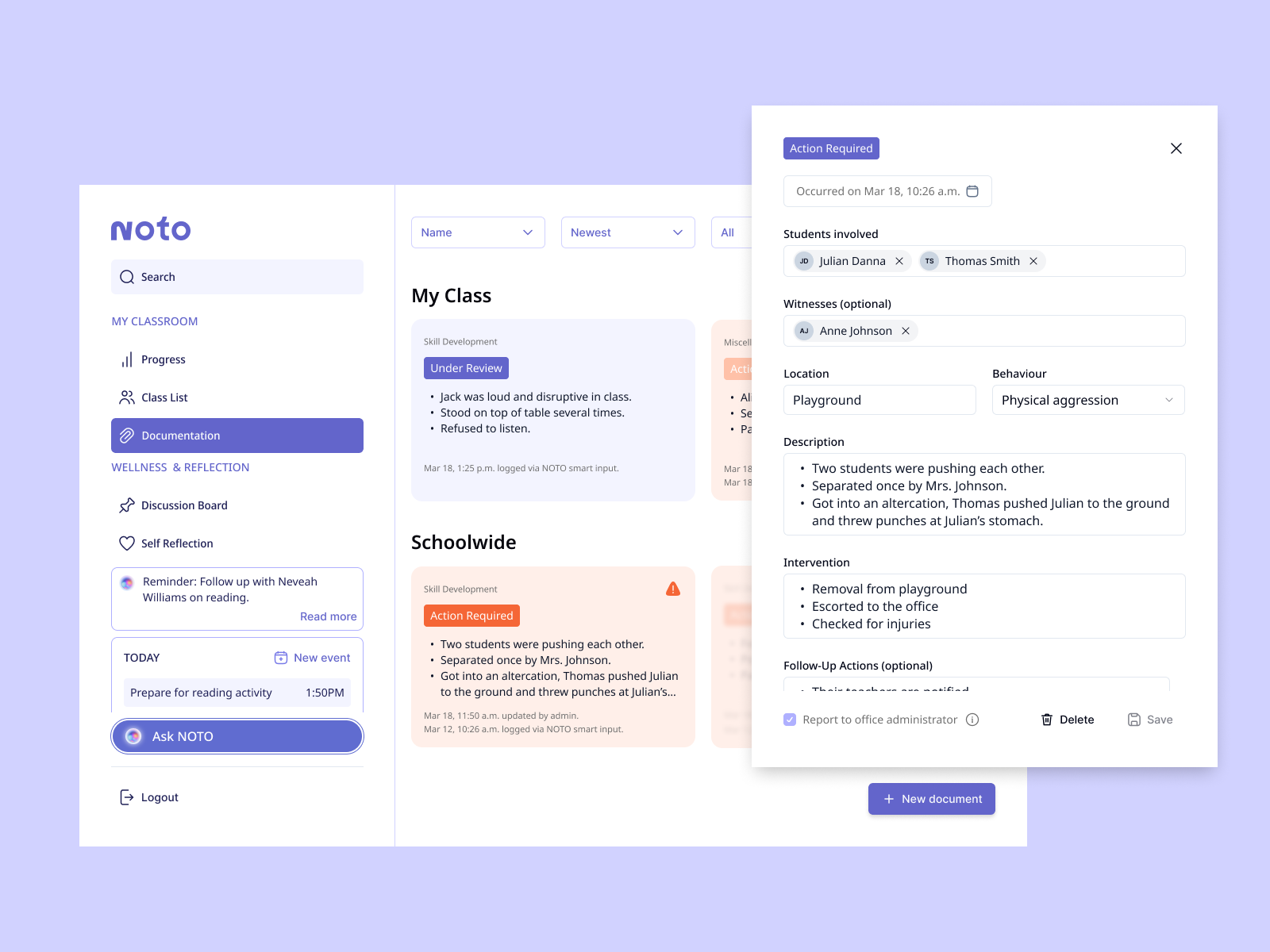
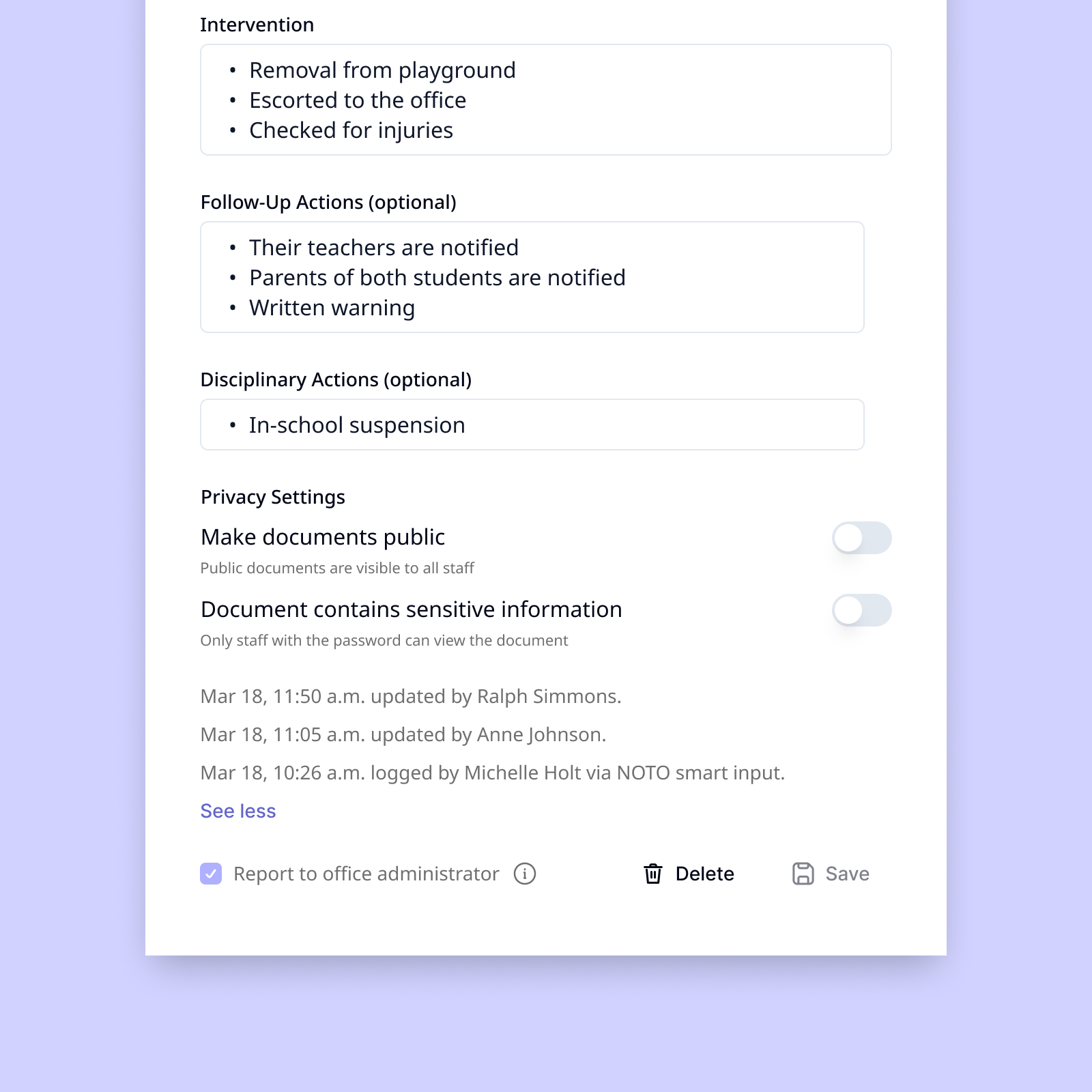
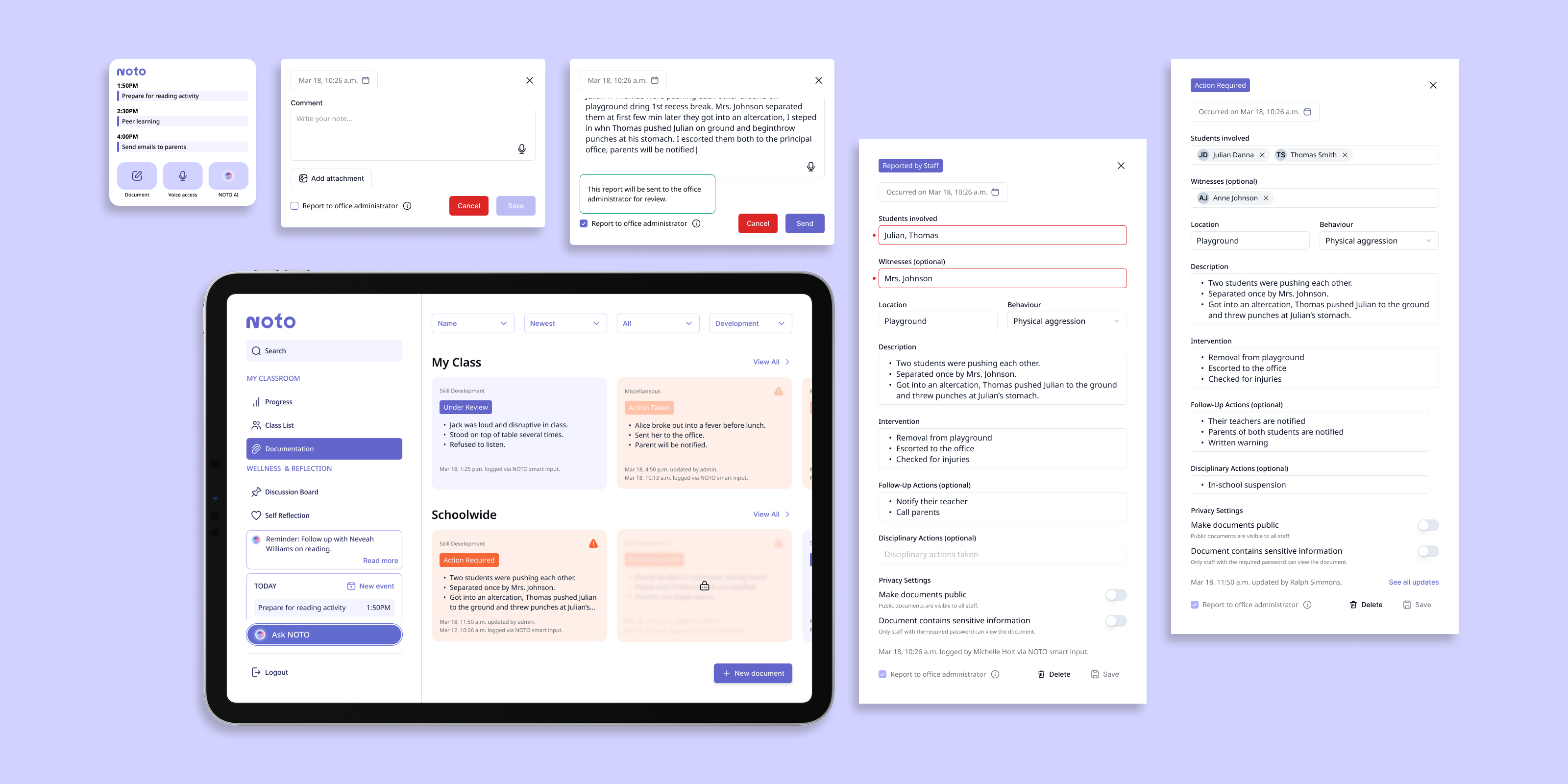
Quick, unstructured inputs would be parsed into corresponding fields by AI, with areas that required manual review and correction flagged.
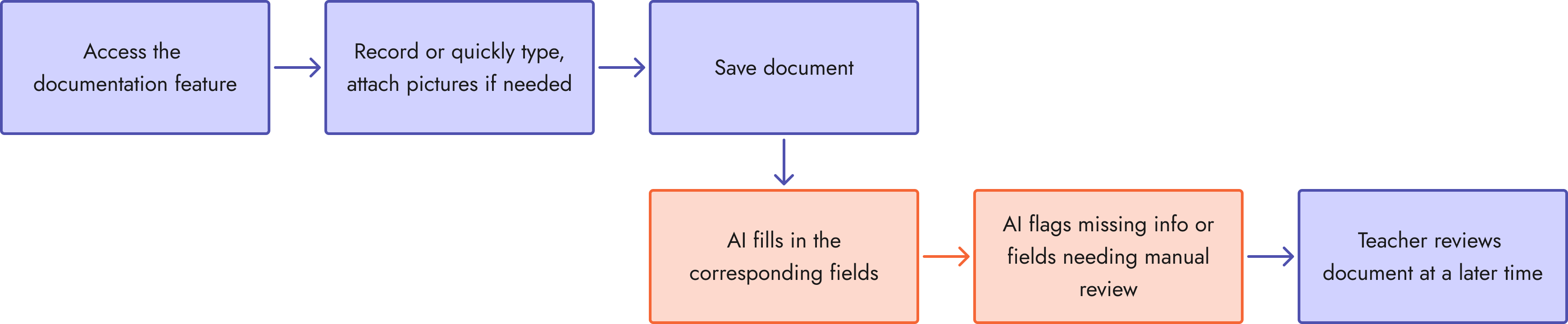
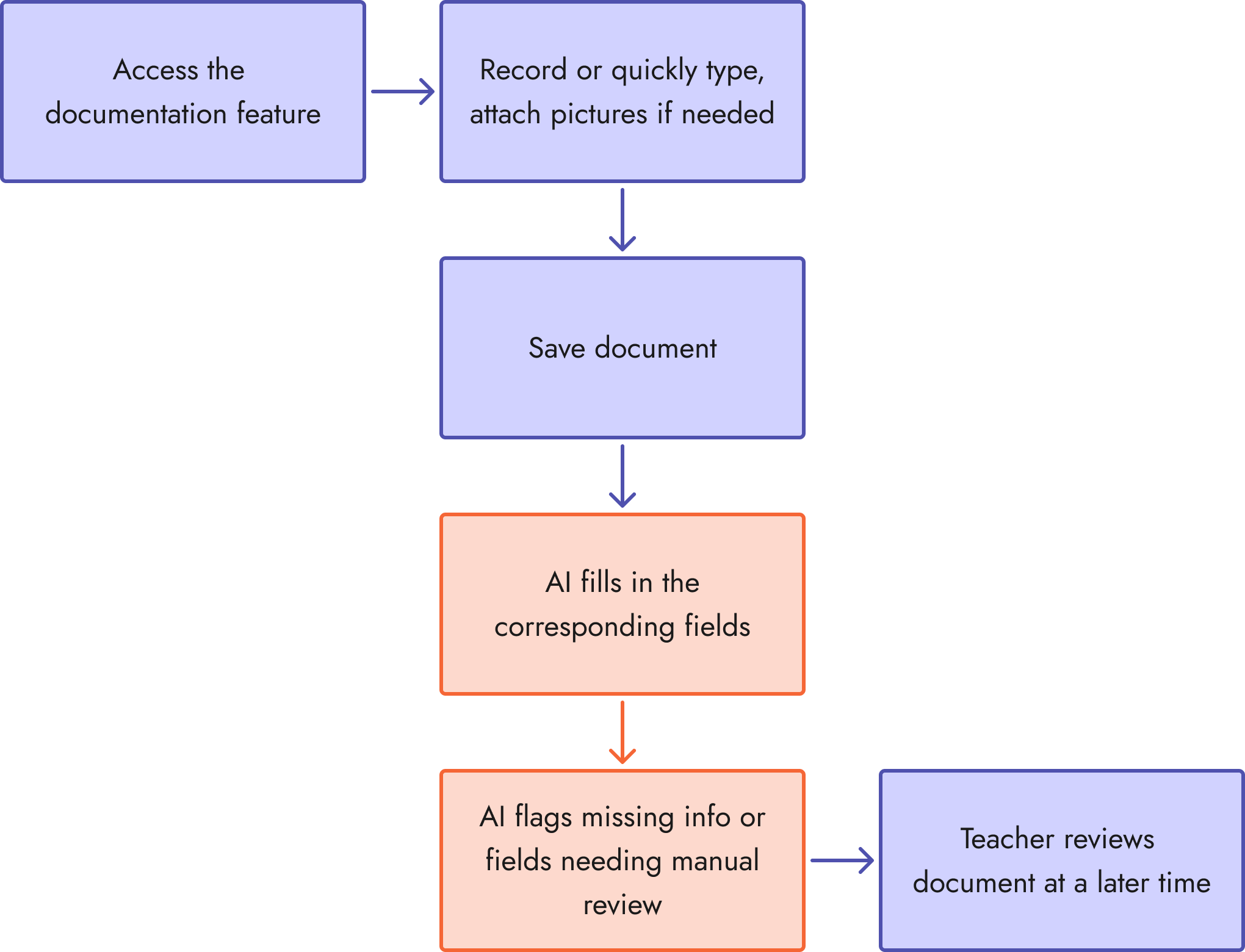
UI elements were then designed following that AI-assisted user flow.
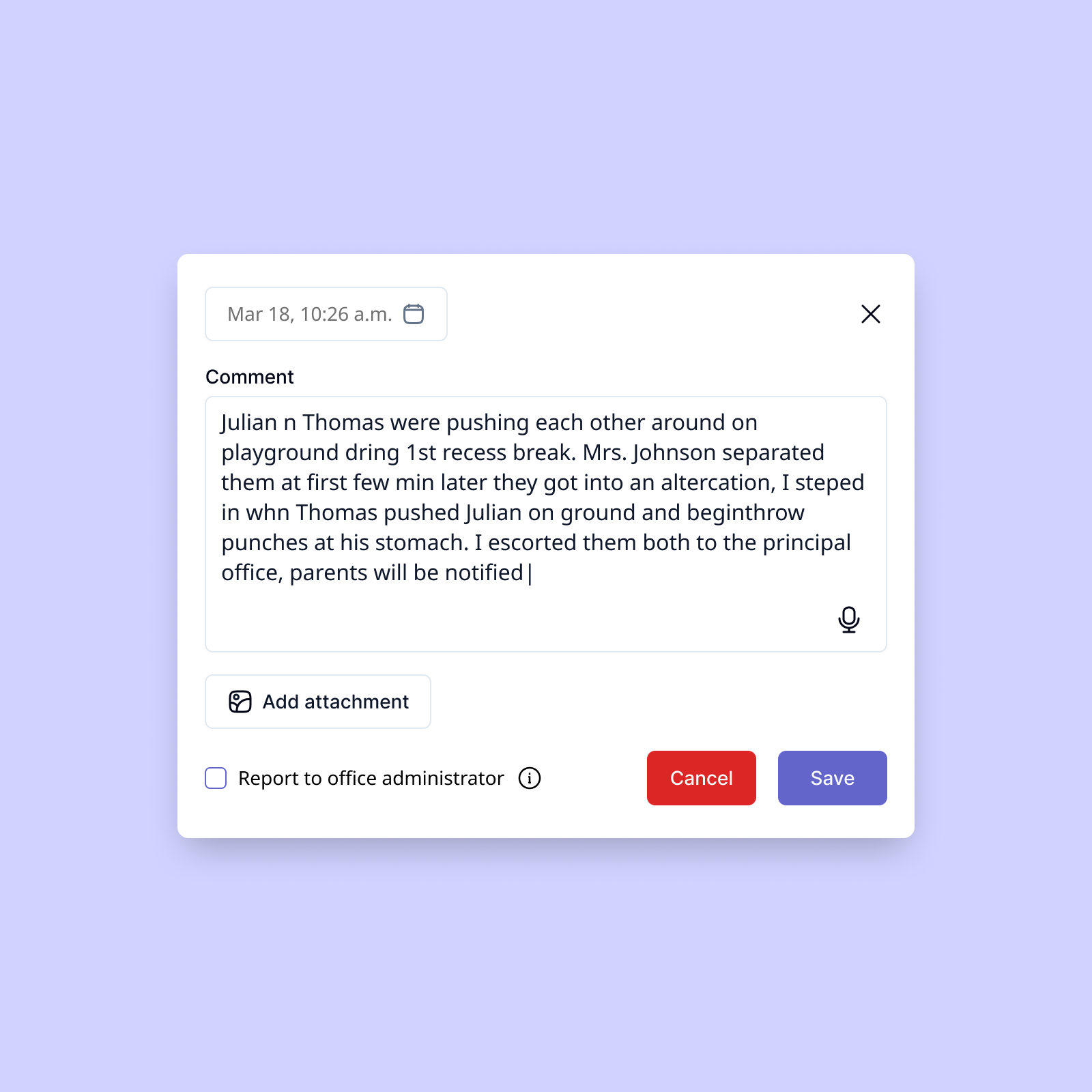
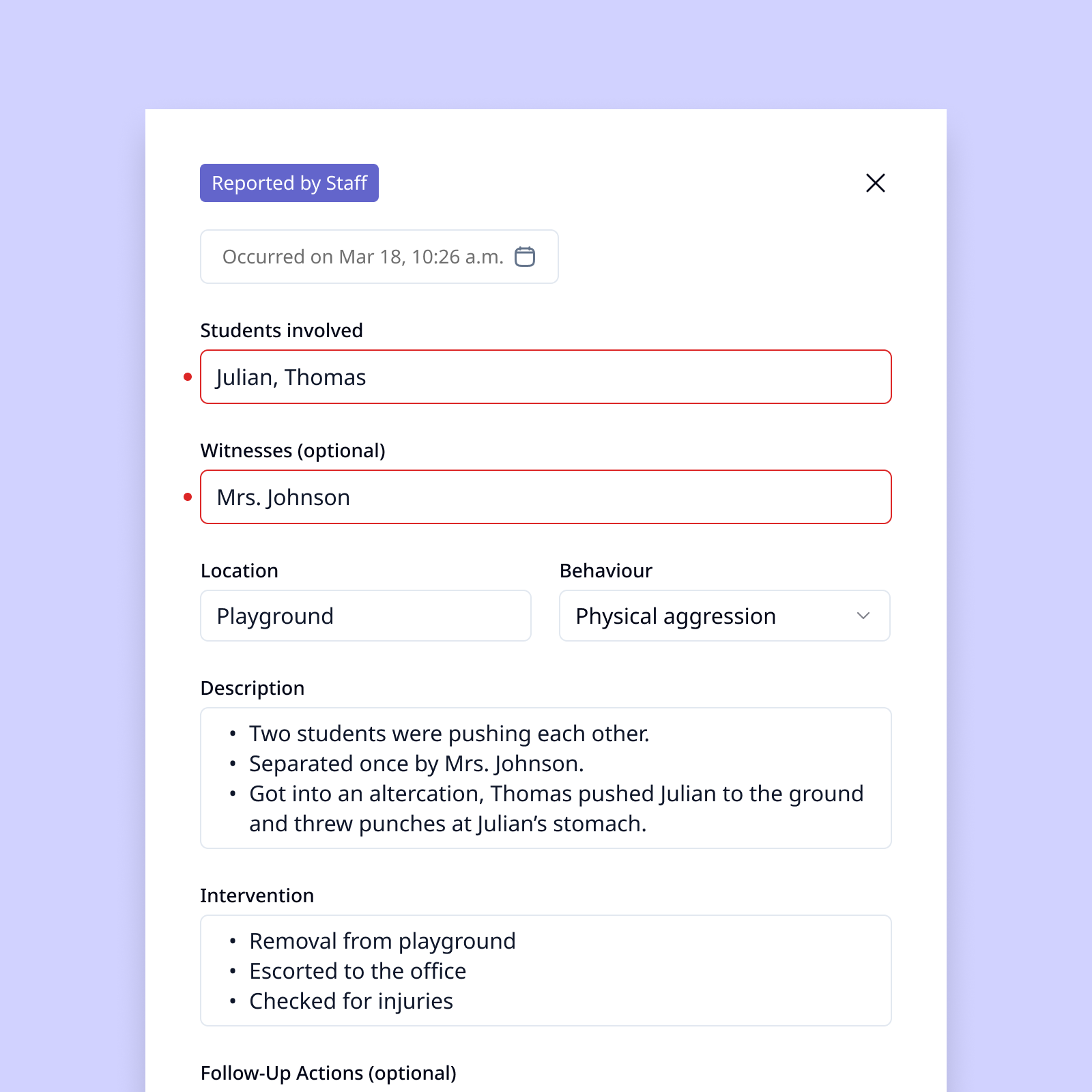
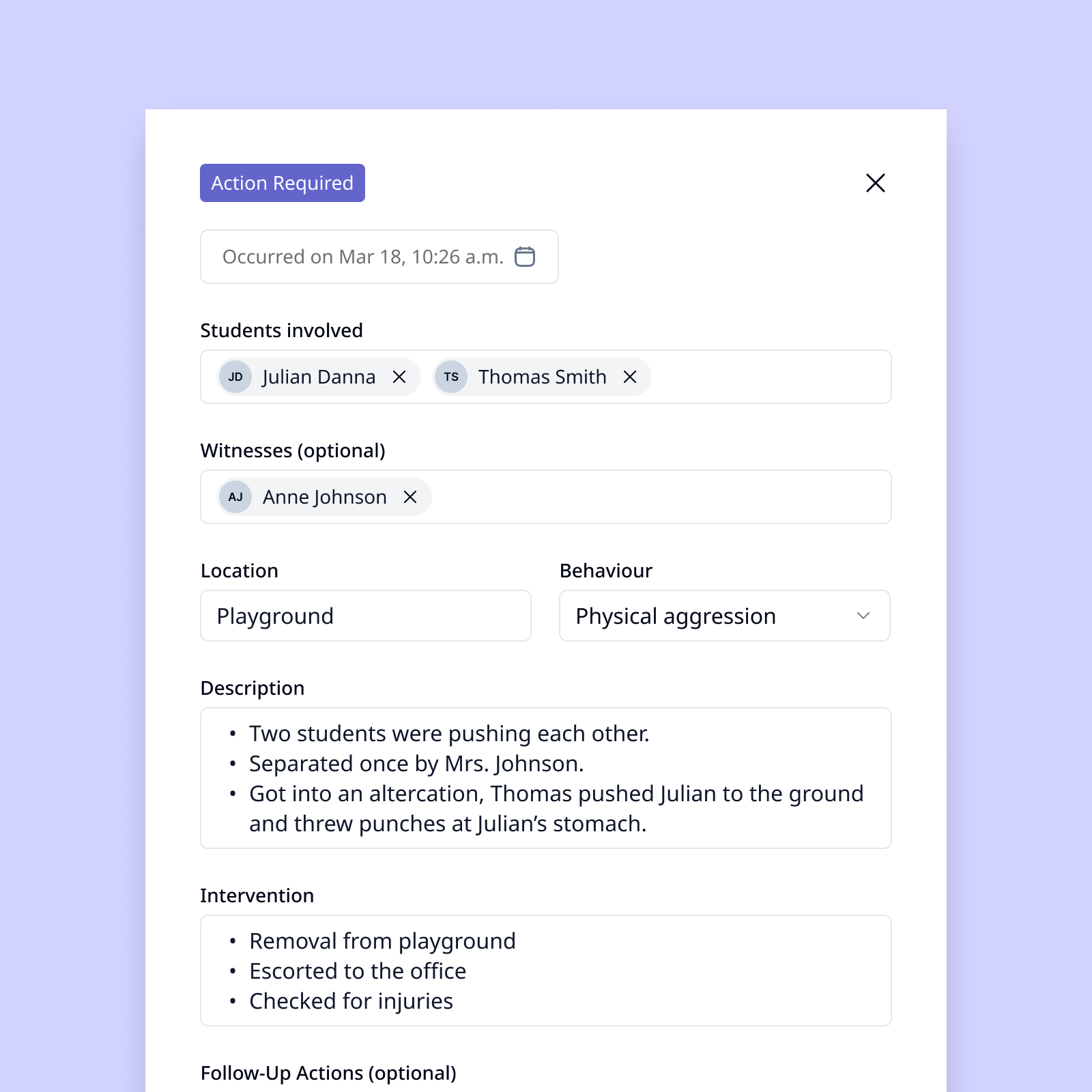
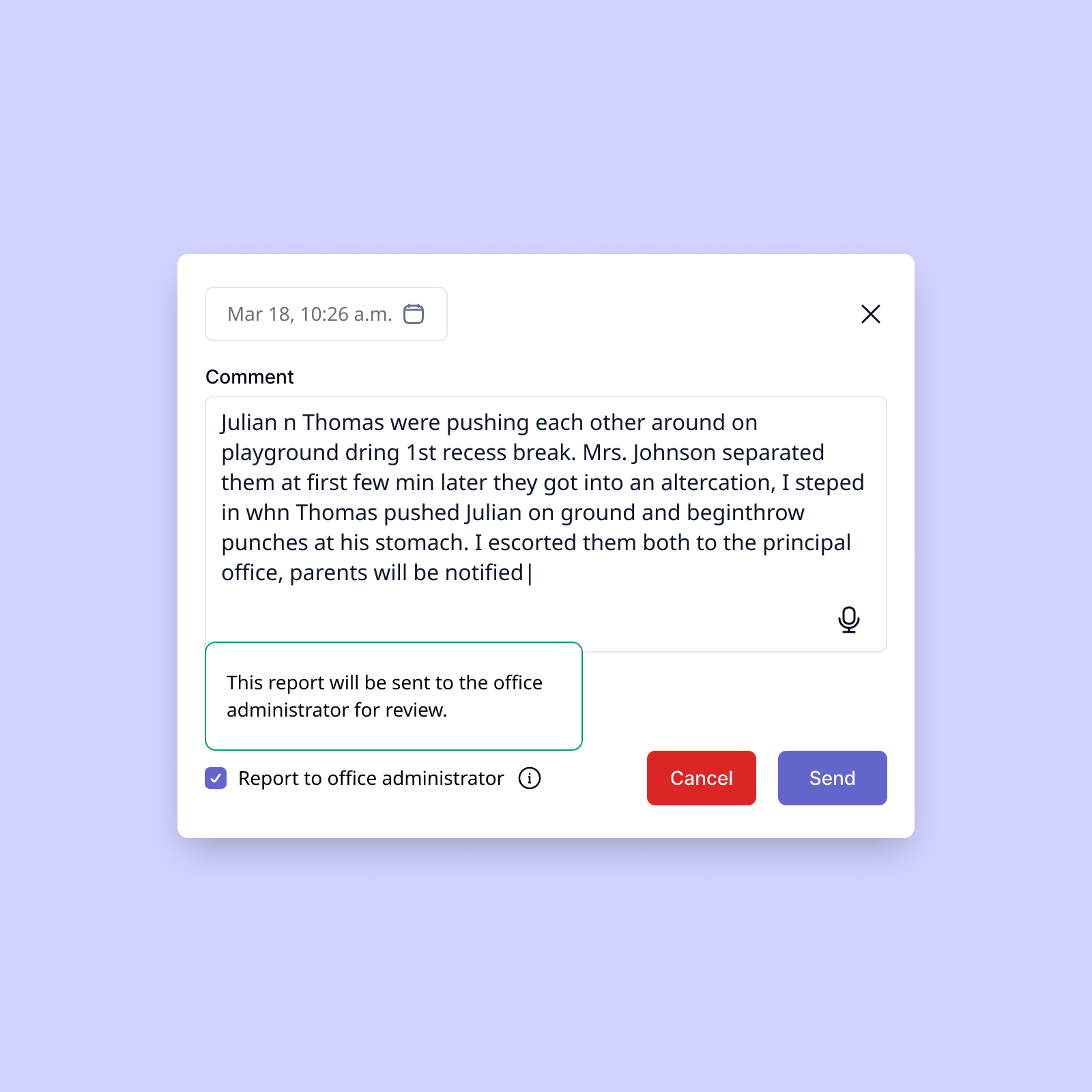
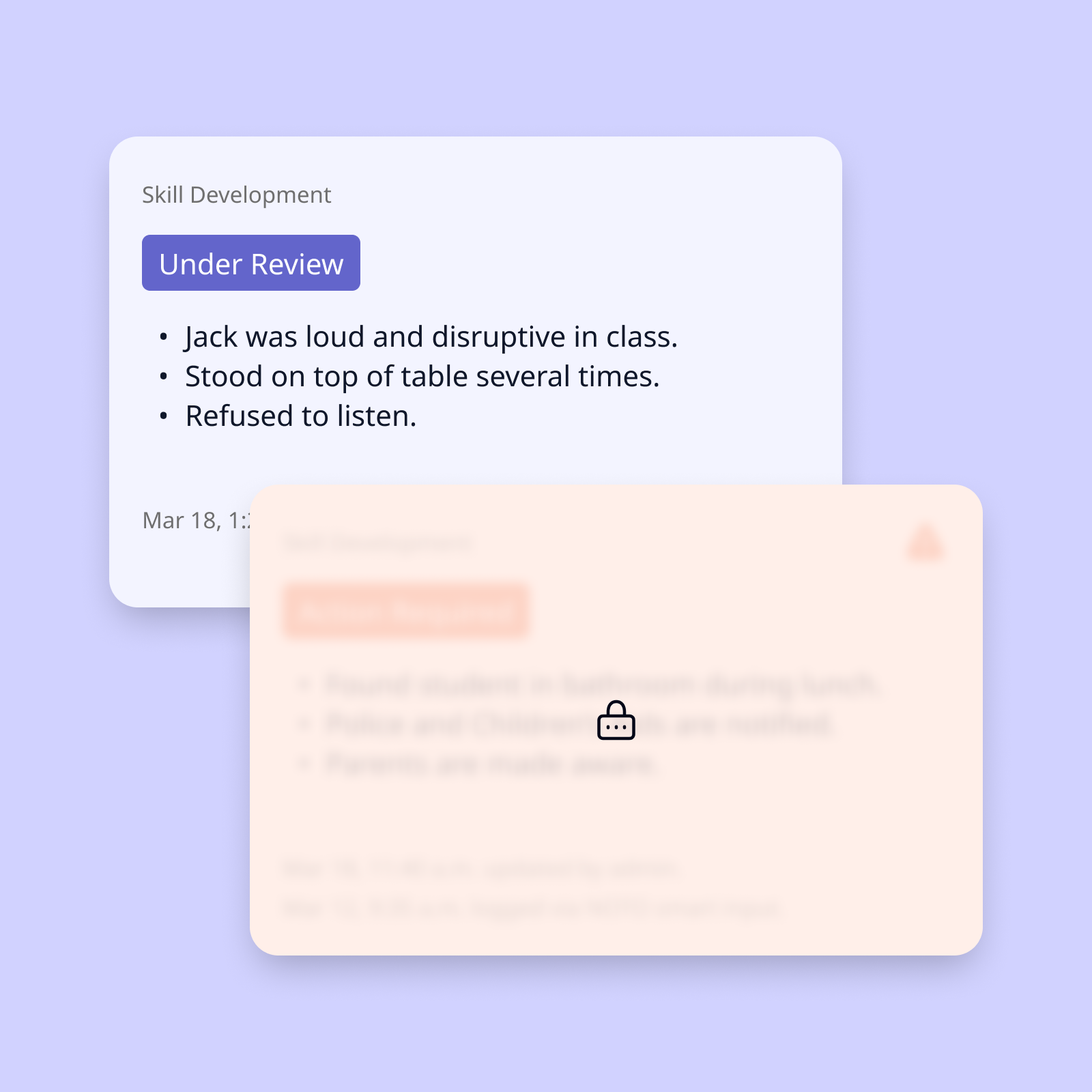
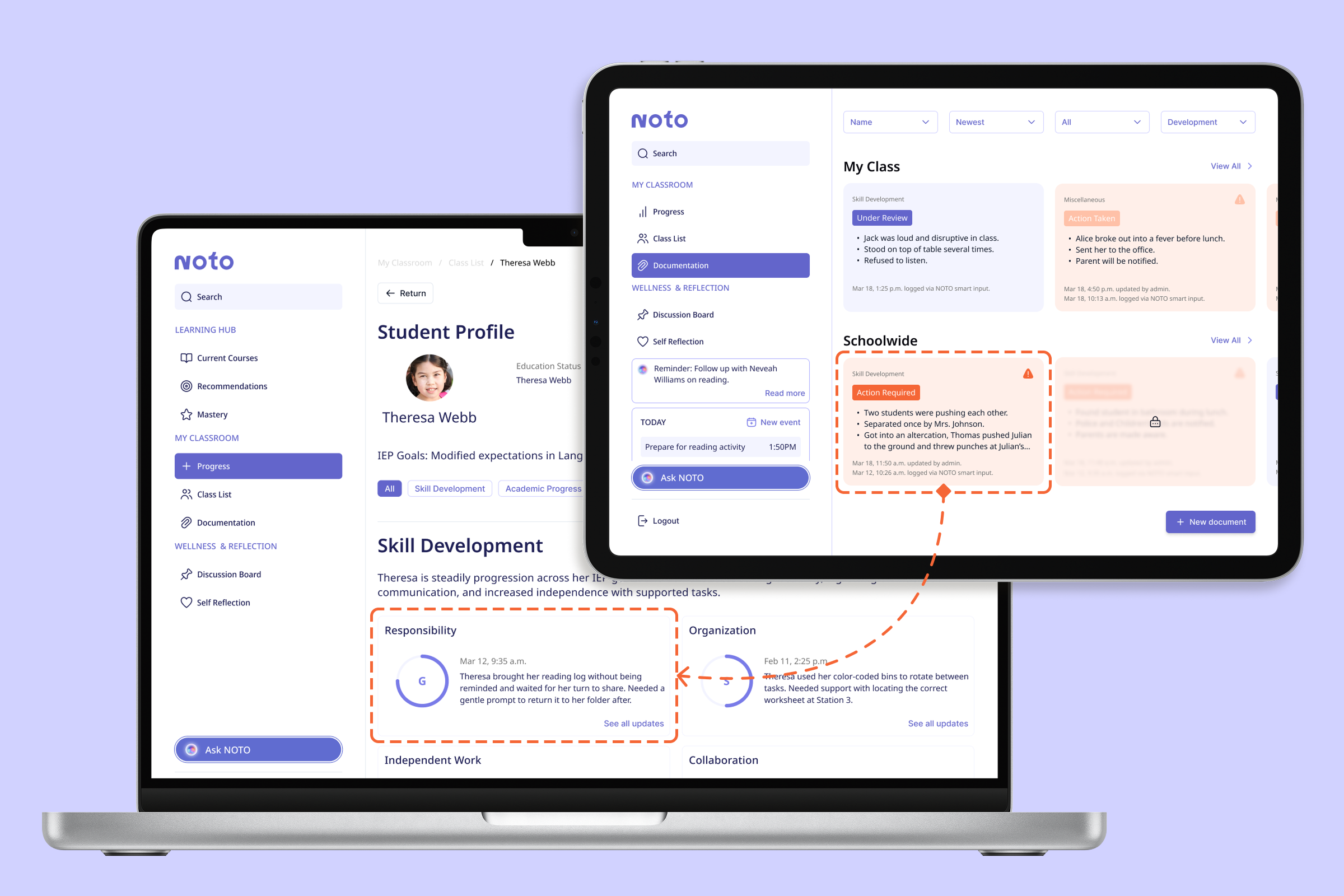
To distinguish casual notes and sensitive reports, a simple checkbox tags “report-worthy” documents and locks them from the view of unrelated personnel.
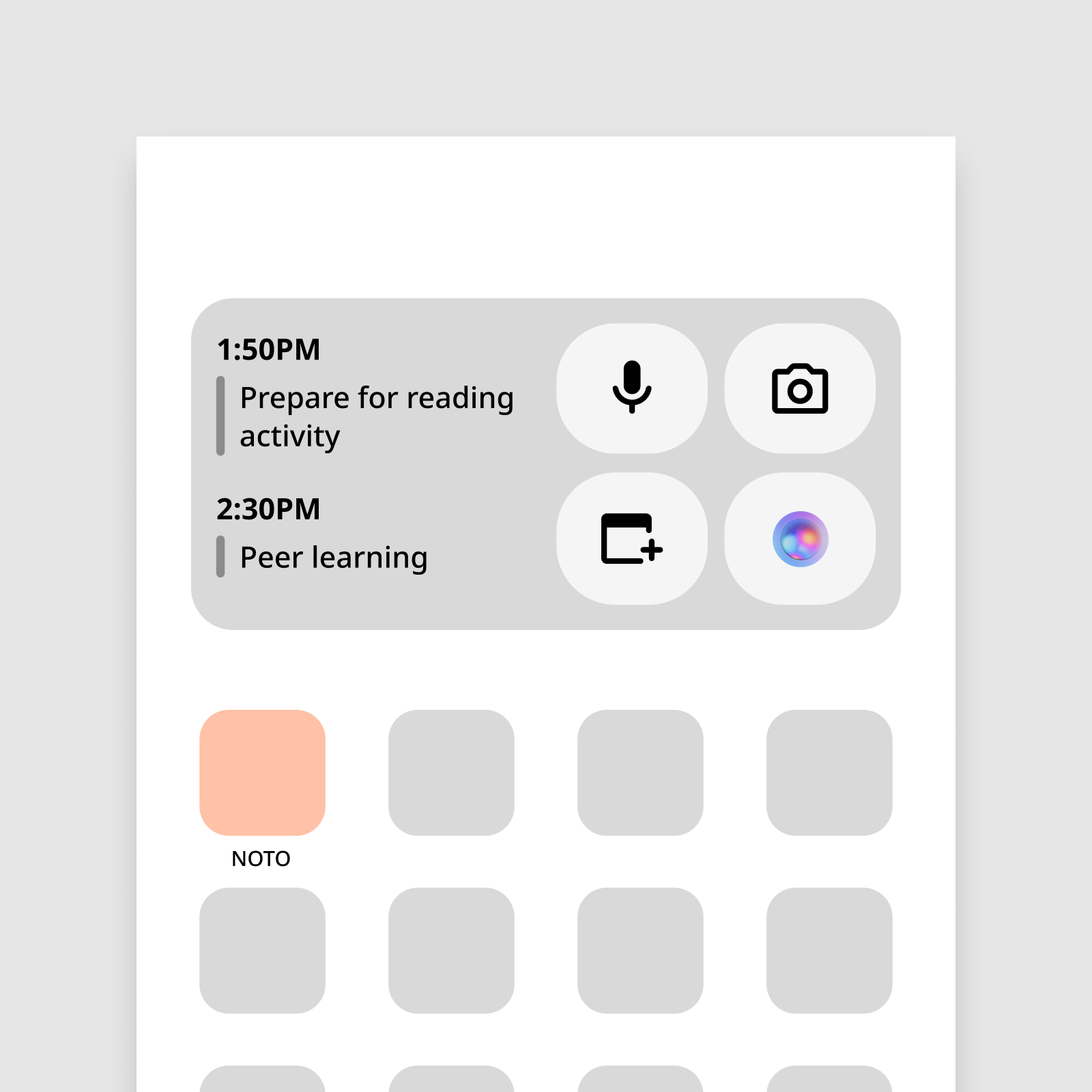
The widget was redesigned to show the important features with proper labels, improving clarity.
The widget idea was a step in the right direction, but we missed the mark on clarity. Test participants mistook the purpose of icons and didn't know what features were supposed to be shown. We learned from other apps' widgets to refine the layout and design.
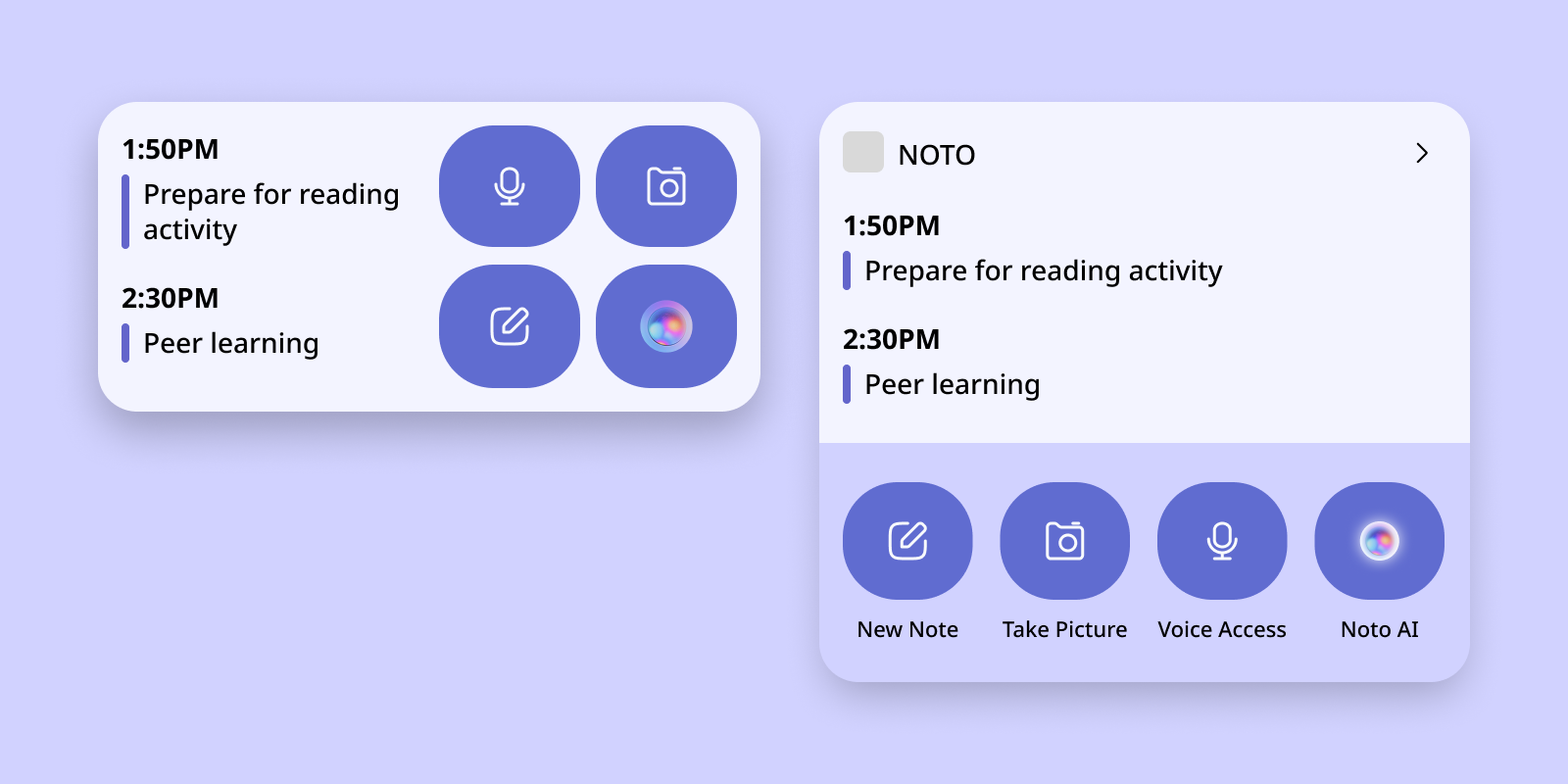
Unclear actions and information
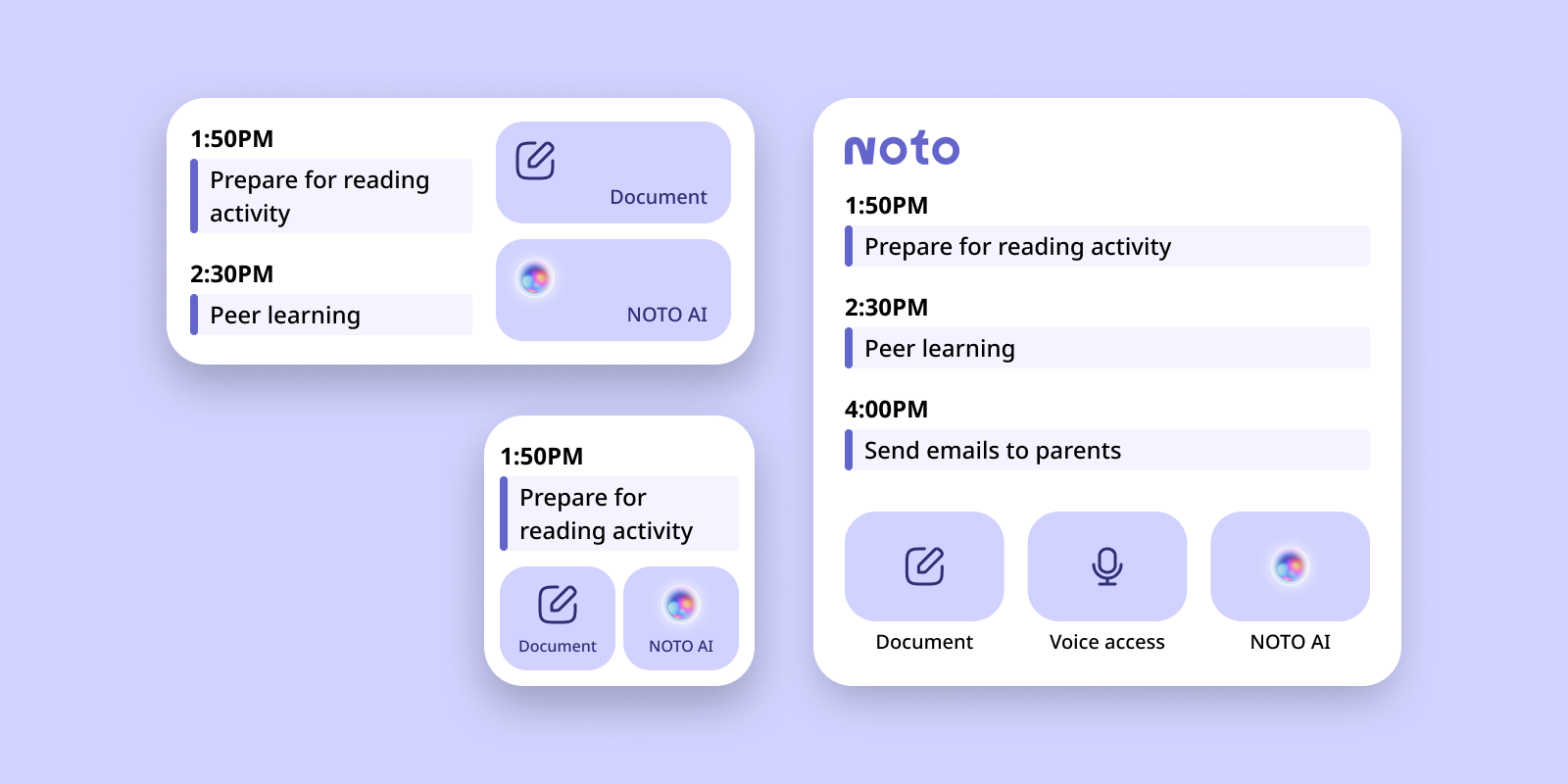
Prioritize core features, more structured
Alongside the prototype's development, I collaborated with a teammate on our design system to ensure the UI's consistency and accessibility.
We adapted components from the Tailwind design system and followed the Atomic Design principle.
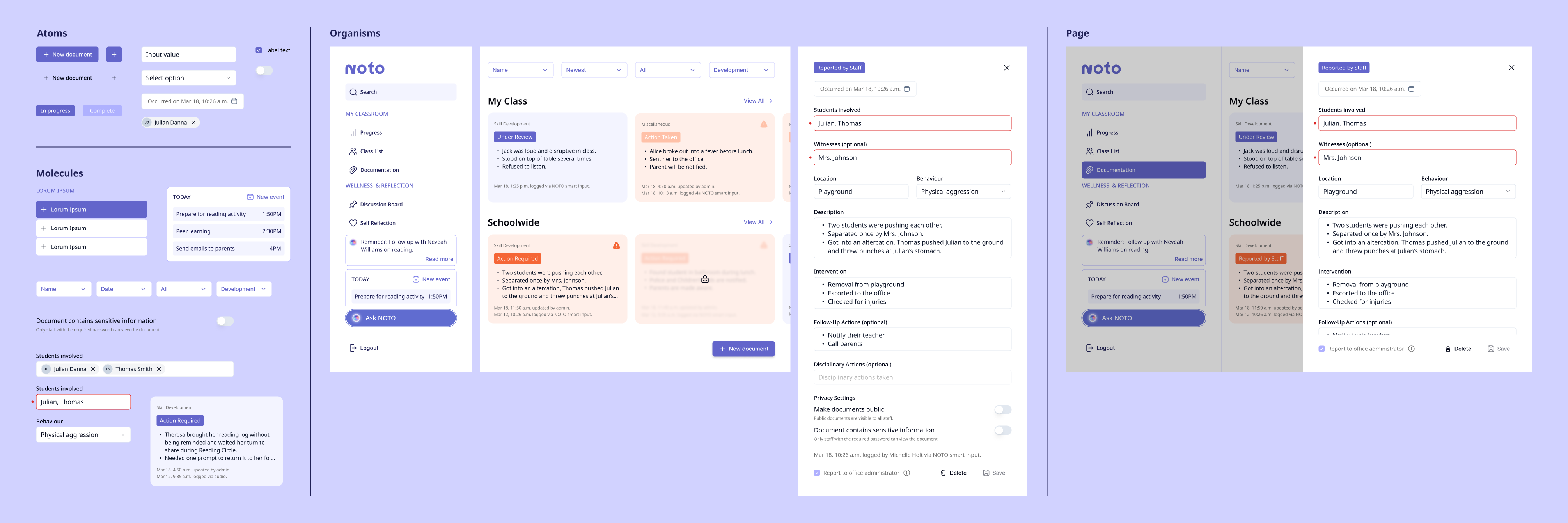
The final round of user testing confirmed that teachers can create meaningful, consistent documentation with ease.
We sat down with an experienced educator to test the product against real-world expectations. Aside from minor changes to refine information filtering, NOTO's documentation proved to be quick to learn and easy to use.
Deliver
NOTO's smart documentation tool accelerates notetaking and reports, allowing educators to reclaim lost time and reduce redundancy.
The documentation feature is designed for in-the-moment brain-dumps. Quick voice recordings and rough notes are distilled into structured outputs for report cards, logs, or communication with caregivers.
This is a core feature of NOTO, our proposed support system to provide ECE teachers with real-time support, inclusive learning strategies, and streamlined administrative tools.
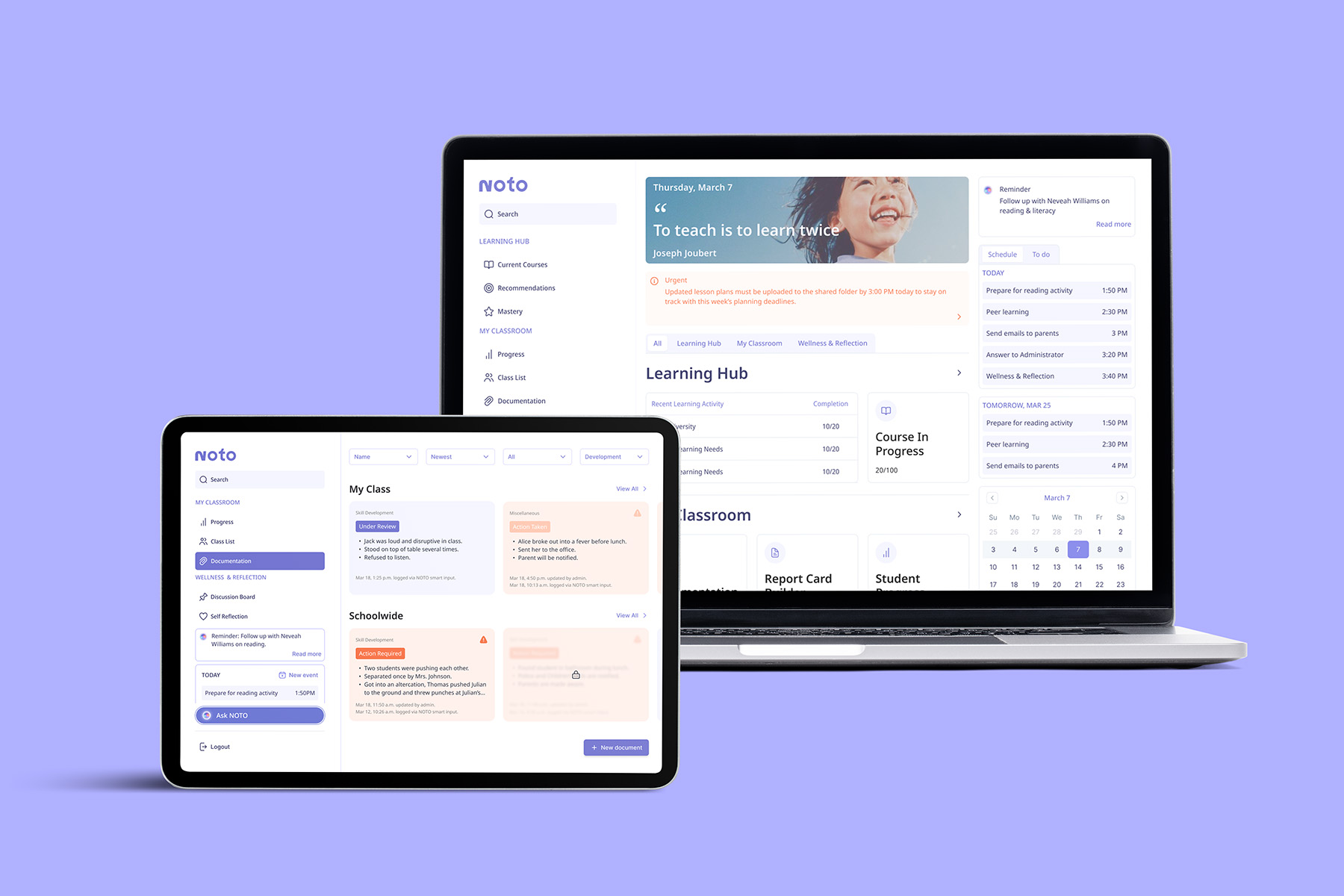
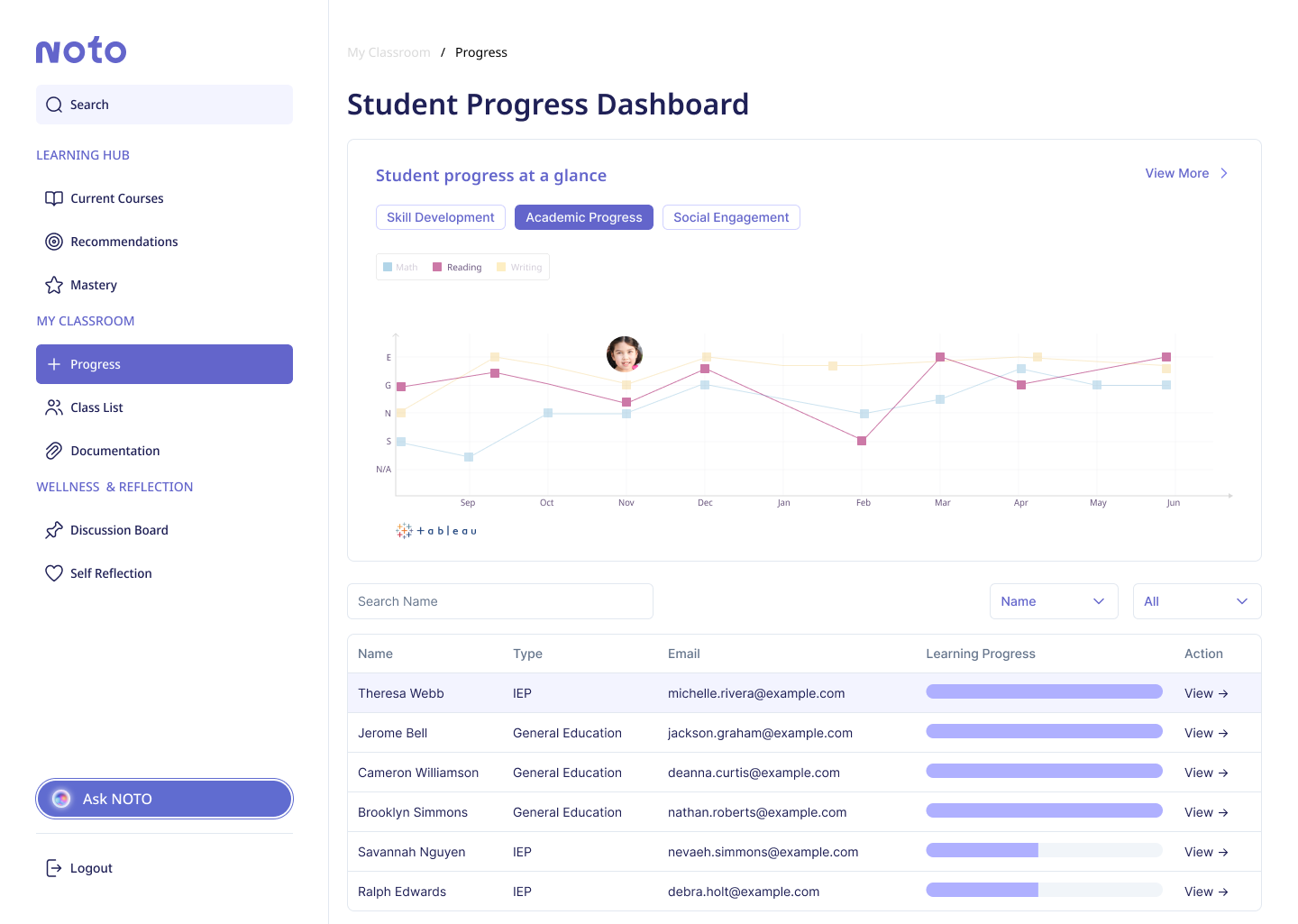
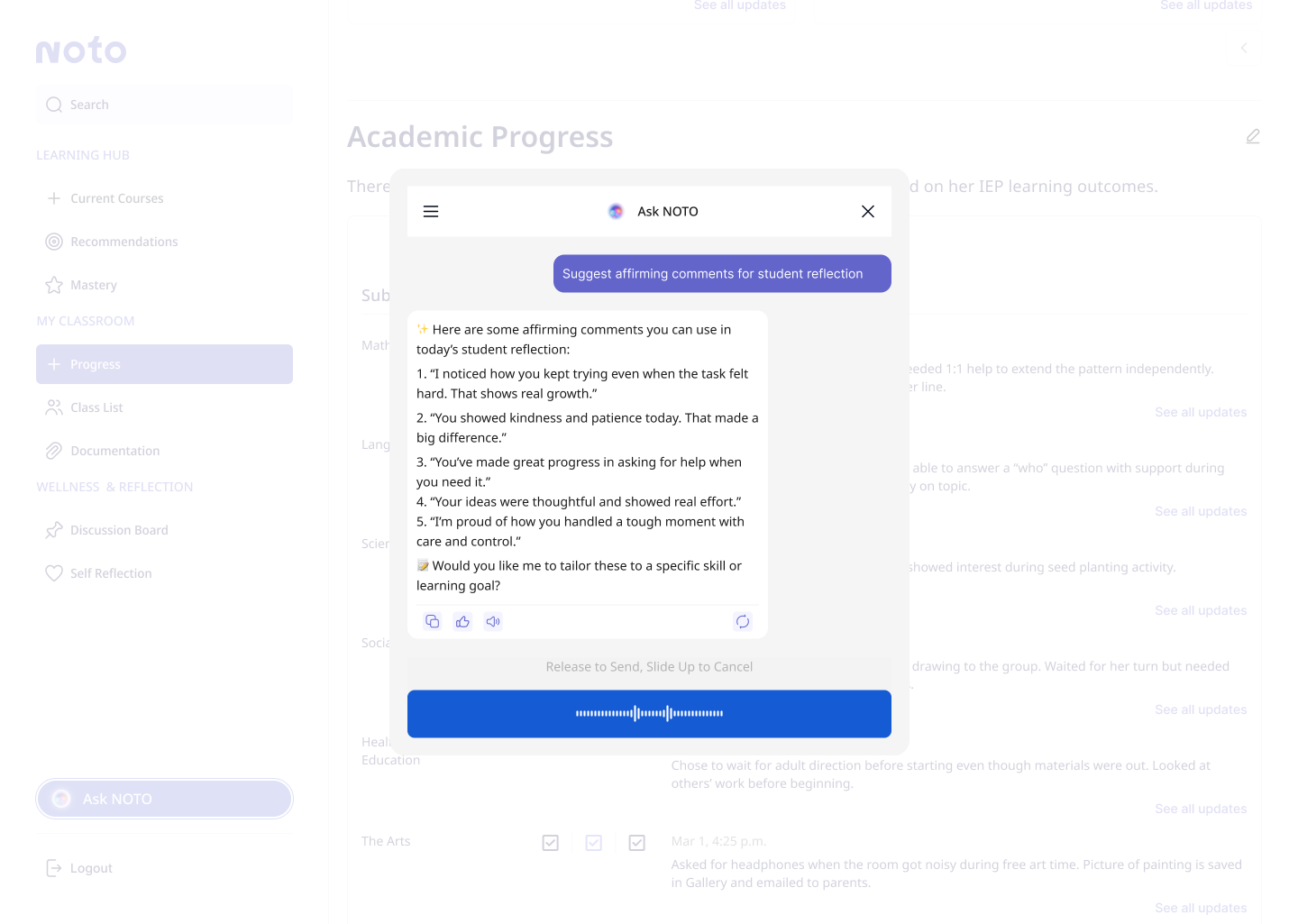
Notes are sorted by student profiles and development areas and synced with NOTO's cloud, allowing teachers access to them anywhere.
The next step is live testing and observation in classrooms to validate what success looks like for educators.
Adoption
Number of active users per school, adoption rate, and admin support for integration helps us gauge scalability, institutional buy-in, and sustainability.
Engagement
Usage and frequency of core features indicate whether NOTO is intuitive, timely, and integrated into natural classroom flow.
Impact
Time saved on admin tasks and teacher-reported reduction in decision fatigue help us measure how workload and stress are reduced.
Well-being
Voluntary use of wellness tools, teacher-reported benefits, and uptake of peer mentorship ensure emotional tools are helpful and support trust.
Reflection
01
As we learned about teachers' daily realities, our goals expanded from improving professional development to providing comprehensive support. During iterations, we pivoted and narrowed the scope to ensure our MVP is completed on time without compromising its quality.
02
Having a good idea of and trust in each other's abilities helps us navigate differing work flows and opinions. We had a good mix of research, design, and presentation strengths, so we could take a step back and focus on our tasks, instead of worrying about every part of the project.